6 Best Smart Watch Wallpaper Apps And Sites For Endless Options
Over 9 million wallpaper downloads have been recorded on a single smartwatch wallpaper platform alone, and that number keeps climbing as more users treat their watch face as a personal statement rather than a simple clock. The demand for fresh, high-quality watch face designs has never been stronger, and the tools available in 2026 have grown to match it. Whether someone owns an Apple Watch, a Samsung Galaxy Watch, a Wear OS device, or a Garmin, the right app or site can transform a generic screen into something genuinely personal.
Disclosure: This post contains affiliate links. As an Amazon Associate, we earn from qualifying purchases, and at no extra cost to you.
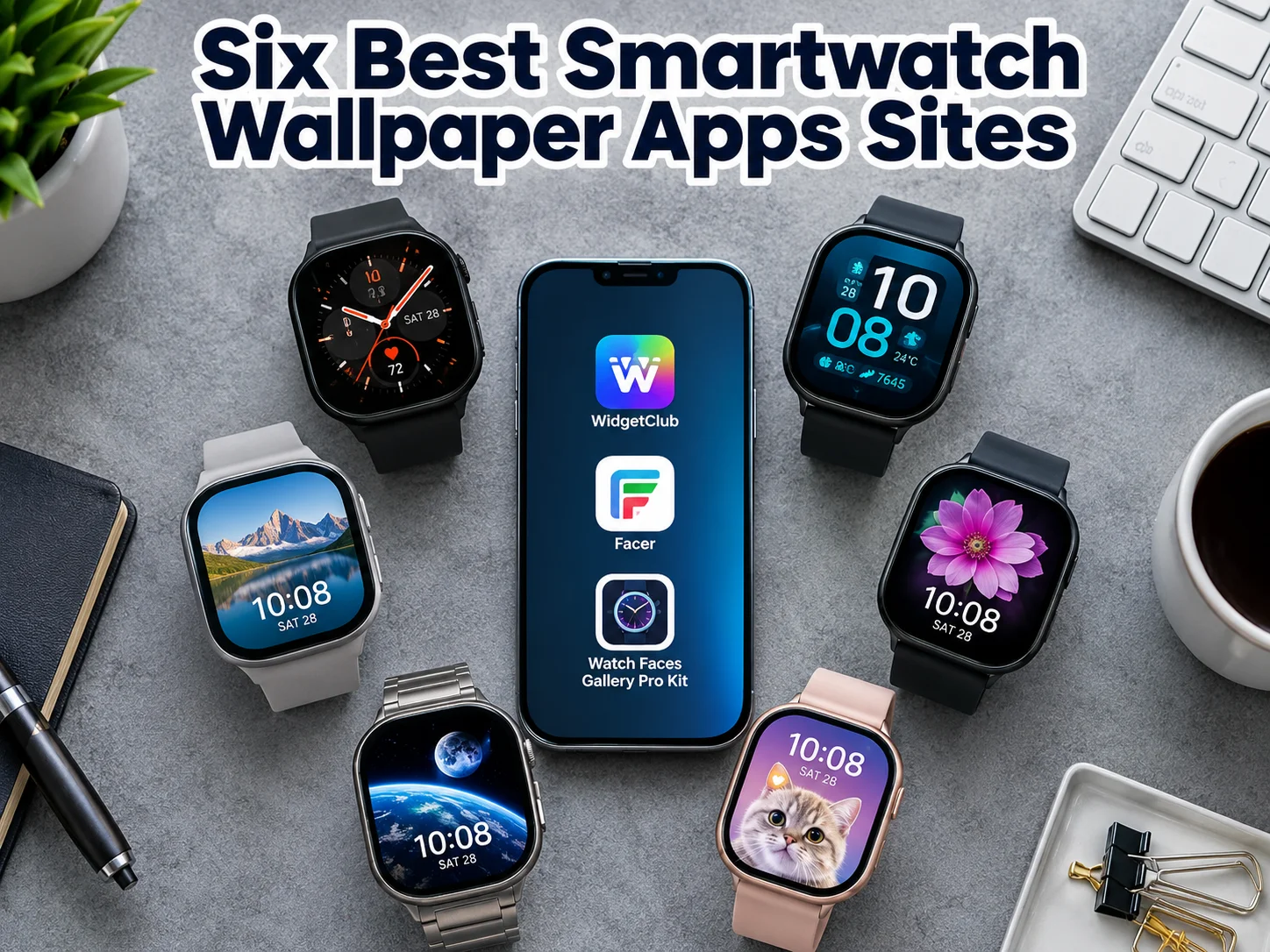
This guide covers the 6 best smart watch wallpaper apps and sites for endless options, examining what each platform offers, who it suits best, and what makes it stand out from the crowd.
Key Takeaways
- The 6 best smart watch wallpaper apps and sites for endless options span both dedicated apps and browser-based tools, covering every major smartwatch platform.
- Platforms like WidgetClub and Facer offer the largest libraries, while curated apps like Watch Faces Gallery Pro Kit prioritize quality over quantity.
- AI-generated watch faces and dynamic, context-aware wallpapers are now mainstream features, not niche extras.
- Resolution matters: using a platform that pre-scales images to your specific watch model prevents blurry or cropped results.
- Free options are widely available, but premium tiers unlock larger catalogs, AI tools, and export features worth considering for serious customizers.
Why Your Watch Face Deserves More Than the Default
Most smartwatch owners spend more time glancing at their wrist than at any other screen during the day. Yet the majority stick with factory defaults, a missed opportunity when the ecosystem of custom wallpapers has expanded so dramatically.
The challenge is not a lack of options. It is knowing where to find designs that are properly formatted for a specific watch model, free from resolution issues, and updated regularly enough to stay fresh. General image sites like Pexels host over 60,000 smartwatch-oriented wallpapers, and Unsplash assets often reach 4K resolution with free commercial licensing [9]. However, repurposing a standard photo as a watch face without proper scaling often results in poor cropping and blurry output [9].
That is precisely why dedicated smartwatch wallpaper apps and sites exist. They handle the technical side, resolution, dial shape, complication placement, so users can focus on finding a design they love. The platforms reviewed below represent the strongest options available in 2026, each with a distinct approach to delivering endless variety.
The 6 Best Smart Watch Wallpaper Apps And Sites For Endless Options
1. WidgetClub
Best for: Users who want the largest free library with no account required
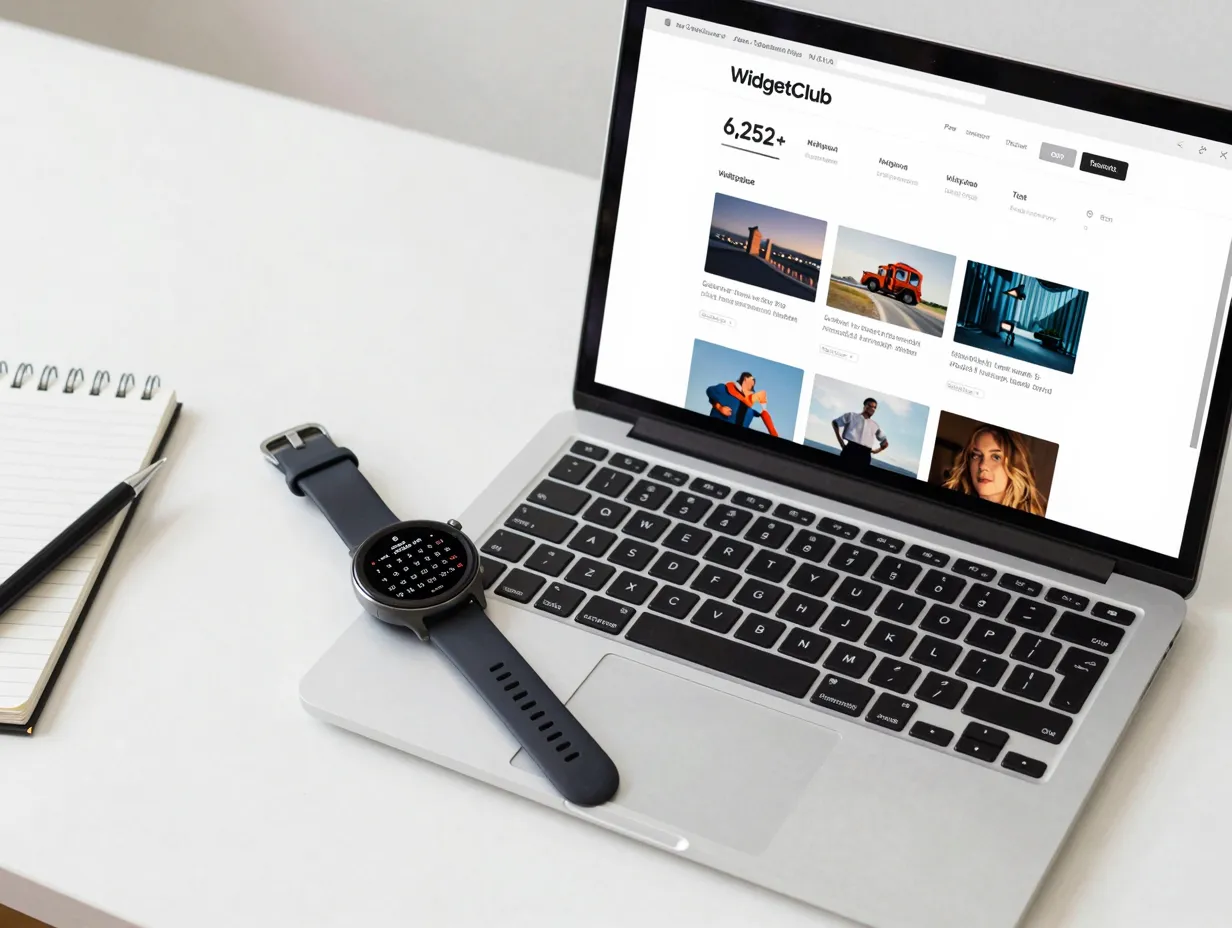
WidgetClub is one of the most visited dedicated smartwatch wallpaper sources on the web, and for good reason. The platform advertises over 6,252 smart watch wallpapers and backgrounds, with more than 9 million total downloads recorded across its catalog [9]. Its smartwatch wallpaper section was updated as recently as August 2026, signaling an active content pipeline that keeps the library fresh [9].
What sets WidgetClub apart from generic image repositories is its device-aware approach. The platform offers pre-scaled wallpaper packs for specific watch models, including the Galaxy Watch 6 at 47mm, so users avoid the resolution mismatches that plague general-purpose downloads [9]. This matters more than many users realize: a wallpaper designed for a 44mm Apple Watch will look noticeably different on a 40mm screen if not properly cropped.
Standout features:
- No sign-up required for downloads
- Free access to the full catalog
- A 2026 calendar wallpaper generator for date-aware designs
- Regular updates that add new seasonal and themed content
- Device-specific packs that eliminate guesswork around sizing
WidgetClub is the strongest starting point for anyone who wants a constantly refreshed, device-agnostic feed of wallpapers without navigating a paywall or creating an account.
2. Watch Faces Gallery Pro Kit (iOS)
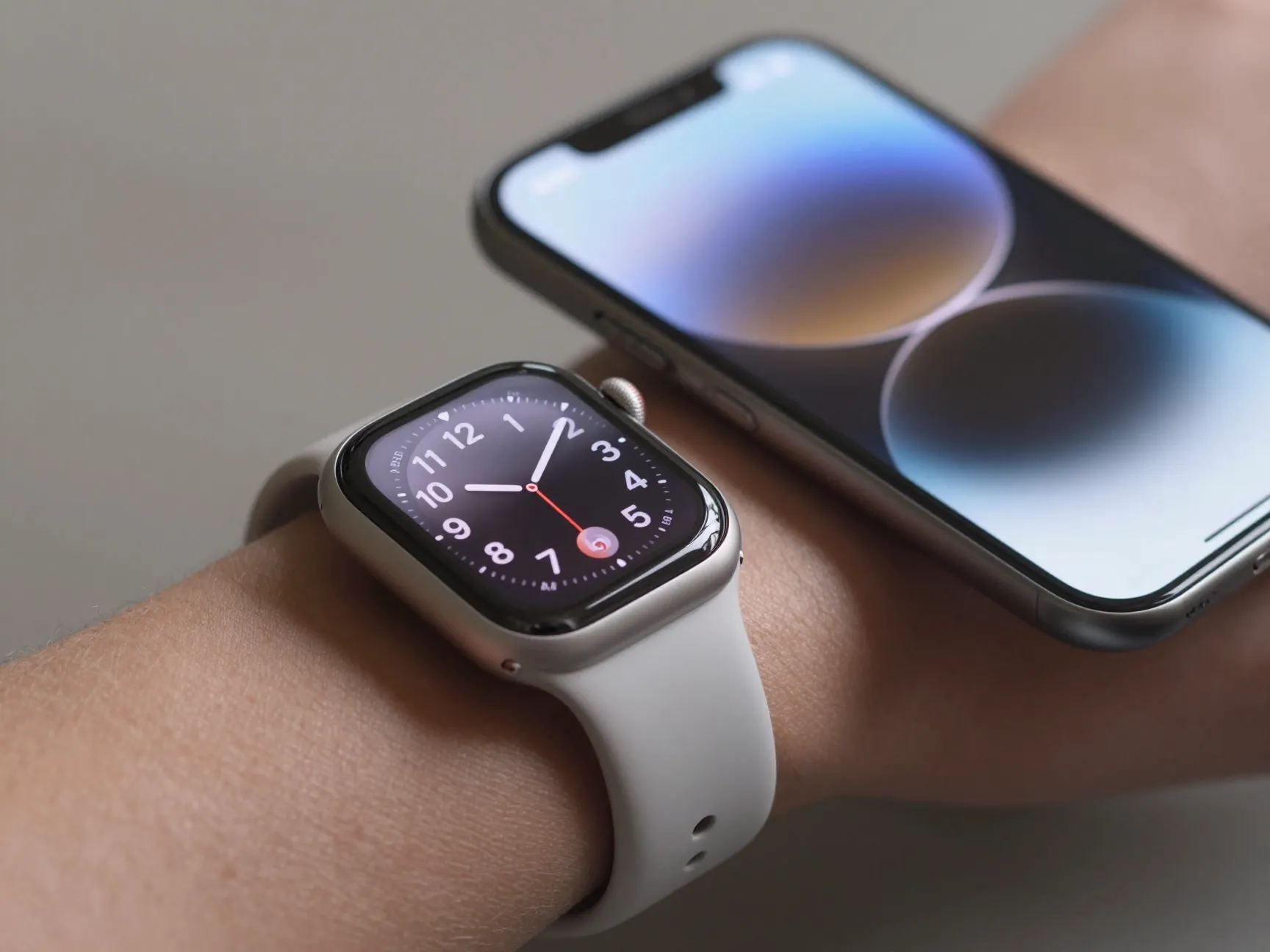
Best for: Apple Watch users who want premium AI-assisted designs with matching iPhone wallpapers
Watch Faces Gallery Pro Kit positions itself as a watch face editor rather than a simple gallery, and that distinction matters. The app’s catalog includes over 5,700 original wallpapers alongside “custom iWatch AI faces,” with updates rolling out as recently as September 2026 [2]. It requires iOS 18 or later, which keeps the experience tightly integrated with the latest Apple ecosystem.
The app’s signature feature is its depth effect, which places the watch subject behind the numerals, a visual trick that creates a layered, three-dimensional look that standard wallpapers cannot replicate. Smart search functionality allows users to filter by text, color, or visual similarity, which is a significant time-saver in a catalog of this size [2].
Perhaps the most practical feature is the ability to export each watch face as a full-resolution 6K or HD iPhone wallpaper. This turns every design into a coordinated phone-and-watch set, which appeals strongly to users who want a unified aesthetic across devices.
“The ability to export a watch face as a 6K iPhone wallpaper effectively turns one design decision into a complete device aesthetic.”
Standout features:
- 5,700+ original designs with AI-generated options
- Depth effect for layered, 3D-style watch faces
- Smart search by text, color, or image similarity
- 6K and HD export for matching iPhone wallpapers
- Frequent updates with new design drops
3. Facer
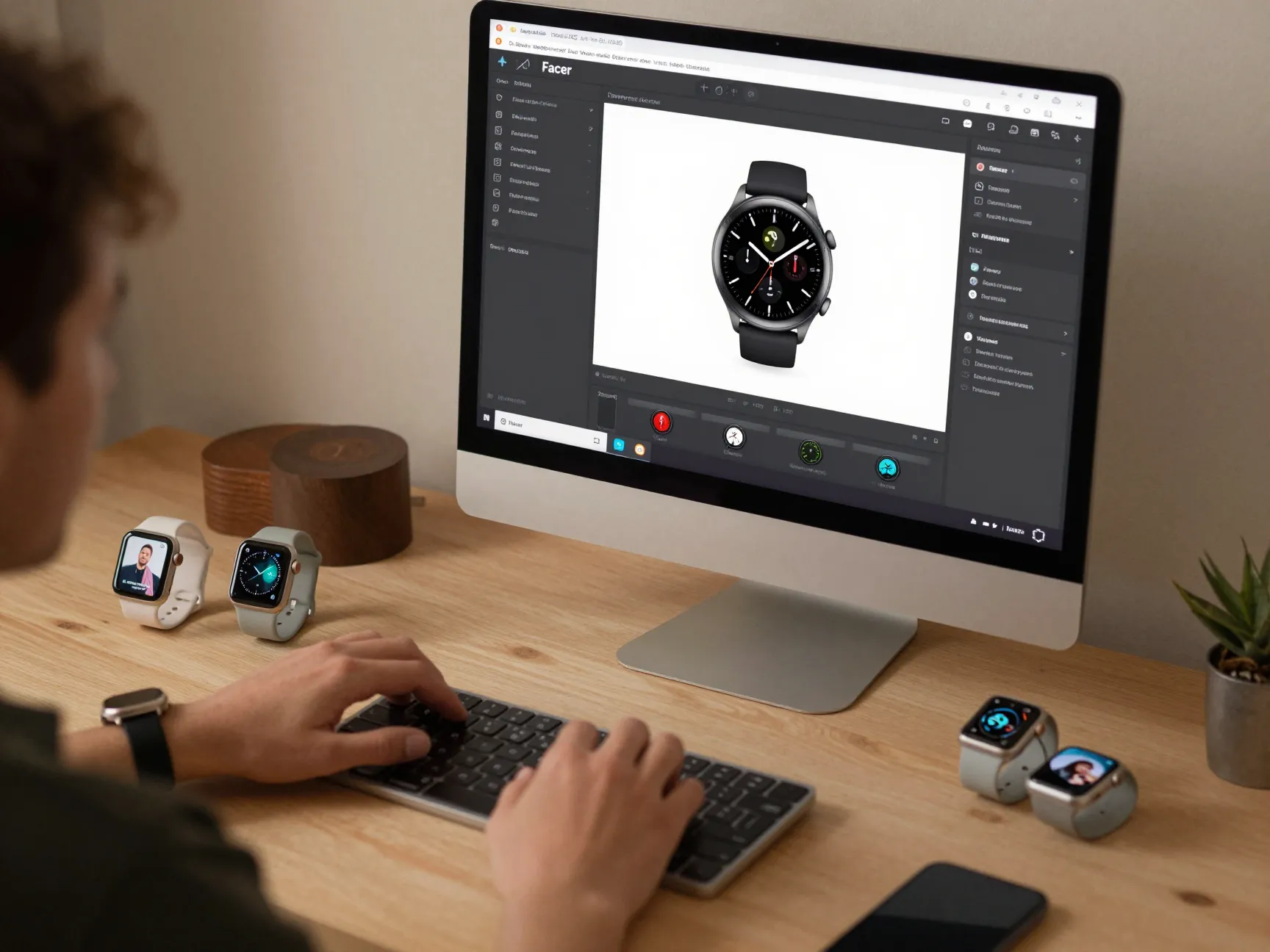
Best for: Multi-platform users who want both a massive catalog and a browser-based design editor
Facer describes itself as the “leading watch face customization platform,” and its cross-platform reach backs up that claim [2]. Compatible with Apple Watch, Wear OS, Samsung/Tizen, and many other smartwatch brands, Facer offers thousands of curated original designs alongside community-created faces as of its May 2026 update [2].
What truly differentiates Facer from most competitors is its web-based editor. Users can build custom watch faces or photo-based backgrounds directly in a browser, without needing to install a separate app or learn a complex design tool. This dramatically expands the options available beyond any built-in catalog, because users are no longer limited to what designers have already created, they can build exactly what they want [2].
The community aspect also adds ongoing value. New designs are submitted regularly by independent creators, meaning the catalog grows organically in ways that a single development team could never sustain alone.
Standout features:
- Compatible with Apple Watch, Wear OS, Samsung/Tizen, and more
- Web-based editor for fully custom designs
- Community-created faces alongside curated originals
- Thousands of designs updated continuously
- One platform for users who own multiple watch brands
For anyone who has ever wanted to build a watch face from scratch without touching a single line of code, Facer’s browser editor is the most accessible tool currently available.
4. FreeWatchFaces.com
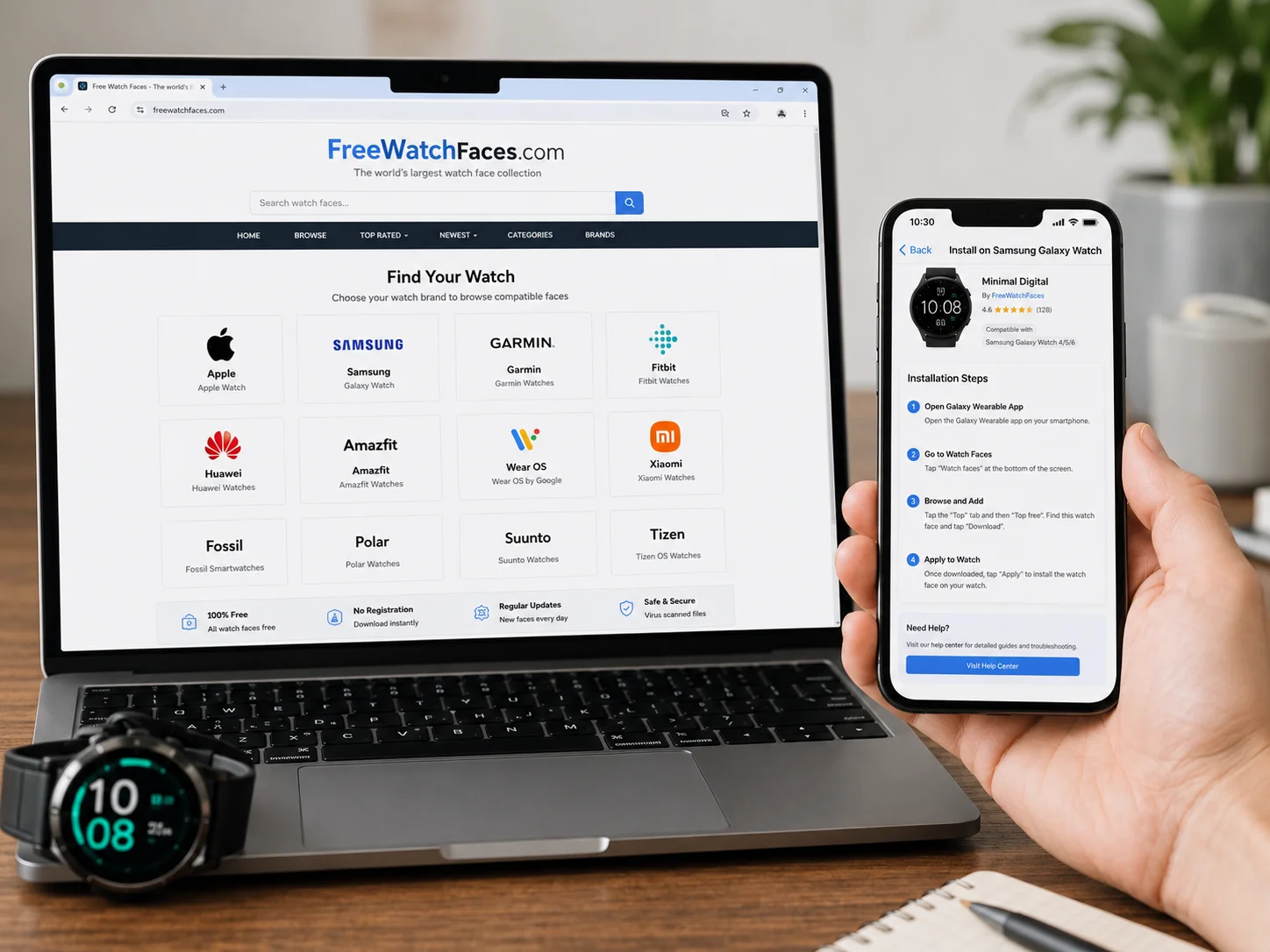
Best for: Multi-brand owners who need tailored install instructions for each ecosystem
FreeWatchFaces.com takes a different approach from app-based platforms. Rather than building an exclusive catalog, it functions as an aggregator, pulling together free faces for Apple Watch, Samsung Galaxy Watch, Wear OS, Garmin, Amazfit, Pixel Watch, and several regional brands including boAt and Fastrack [2]. The site was last updated on August 31, 2026, confirming active maintenance.
The platform’s real strength is its ecosystem-specific install guidance. Each face comes with instructions tailored to the watch brand it targets, which removes a common frustration: finding a great design only to discover there is no clear path to actually installing it.
FreeWatchFaces.com also includes a browser-based builder that lets users create image-based watch faces by selecting a dial shape, dropping in a background image, positioning time displays and complications, and then exporting either a wallpaper or an installable package for supported watches [2]. This combination of aggregation and creation tools makes it one of the most versatile free resources available.
FreeWatchFaces.com supports: Apple Watch, Samsung Galaxy Watch, Wear OS, Garmin, Amazfit, Pixel Watch, boAt, Fastrack, with brand-specific install instructions for each.
Standout features:
- Free faces for eight or more watch brands
- Brand-specific install instructions per ecosystem
- Browser-based builder for custom image faces
- Dial shape selection and complication positioning
- Export as wallpaper or installable package
5. Smart Watch Faces Gallery App (Android / Wear OS)
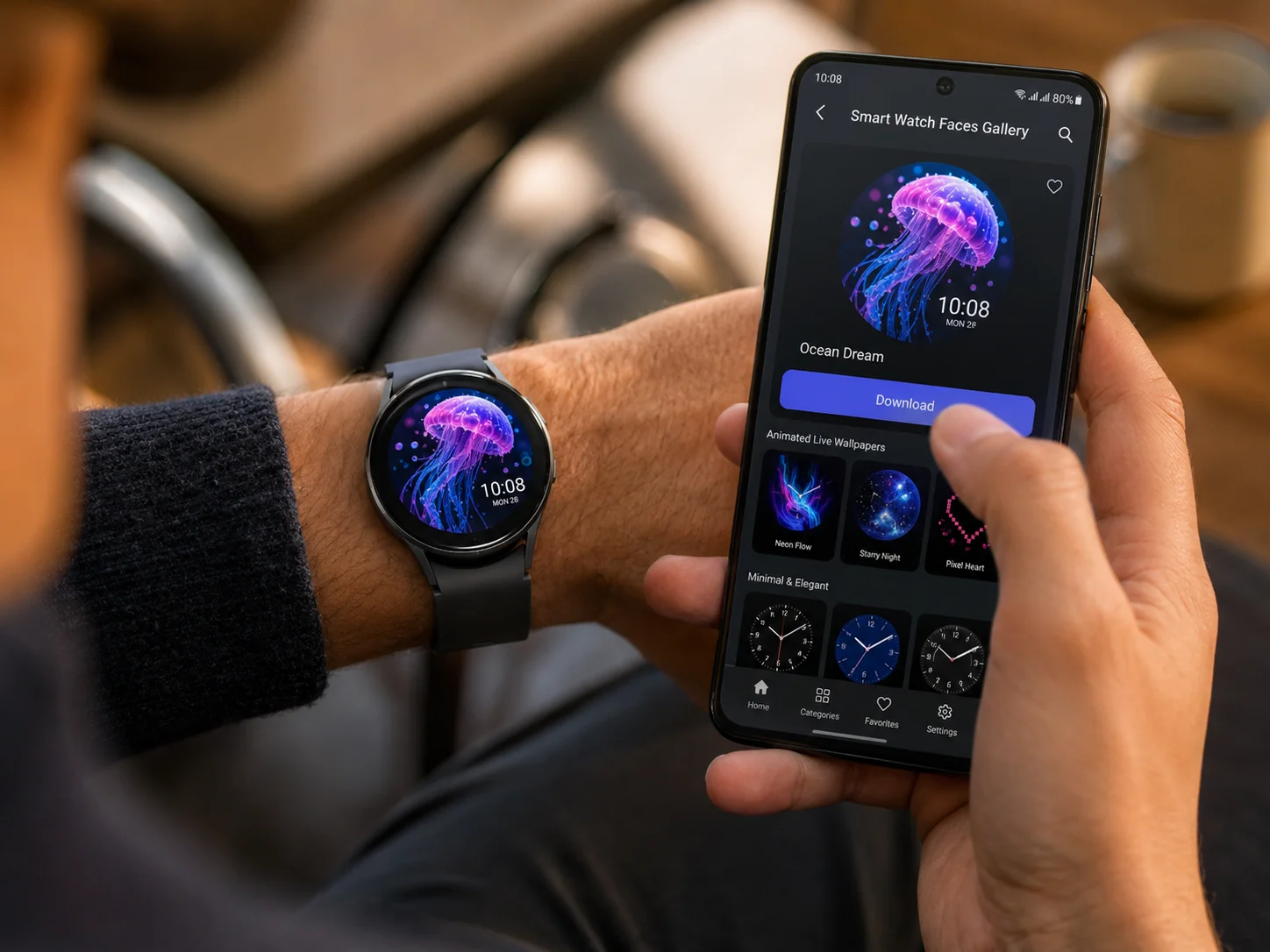
Best for: Wear OS users who want a seamless phone-to-watch wallpaper workflow
The Smart Watch Faces Gallery App by CEM Software on Google Play describes itself as the “#1 Watch Face Gallery app” and as of its June 2026 update offers access to over 2,000 live wallpapers for smart watch face albums [6]. While the catalog size is smaller than WidgetClub or Facer, the app’s workflow is what makes it stand out for Wear OS users.
The system works through a companion Wear OS watch app. Users set the app’s watch face on their watch, browse wallpapers in the phone app, tap Download, and the wallpaper is saved to Photos and applied automatically [6]. This tight integration eliminates the multi-step process that often frustrates users trying to push custom images to a Wear OS device.
The “live wallpaper” framing is also notable. Rather than static images, many of the 2,000+ designs include animated elements, making the watch face feel more dynamic throughout the day.
Standout features:
- 2,000+ live wallpapers for Wear OS devices
- Companion watch app for seamless one-tap application
- Animated wallpaper options beyond static images
- Streamlined phone-to-watch download workflow
- Regular catalog updates as of June 2026
6. Walbum, Watch Faces Gallery (iOS)
Best for: Apple Watch users who want dynamic, context-aware faces that change throughout the day
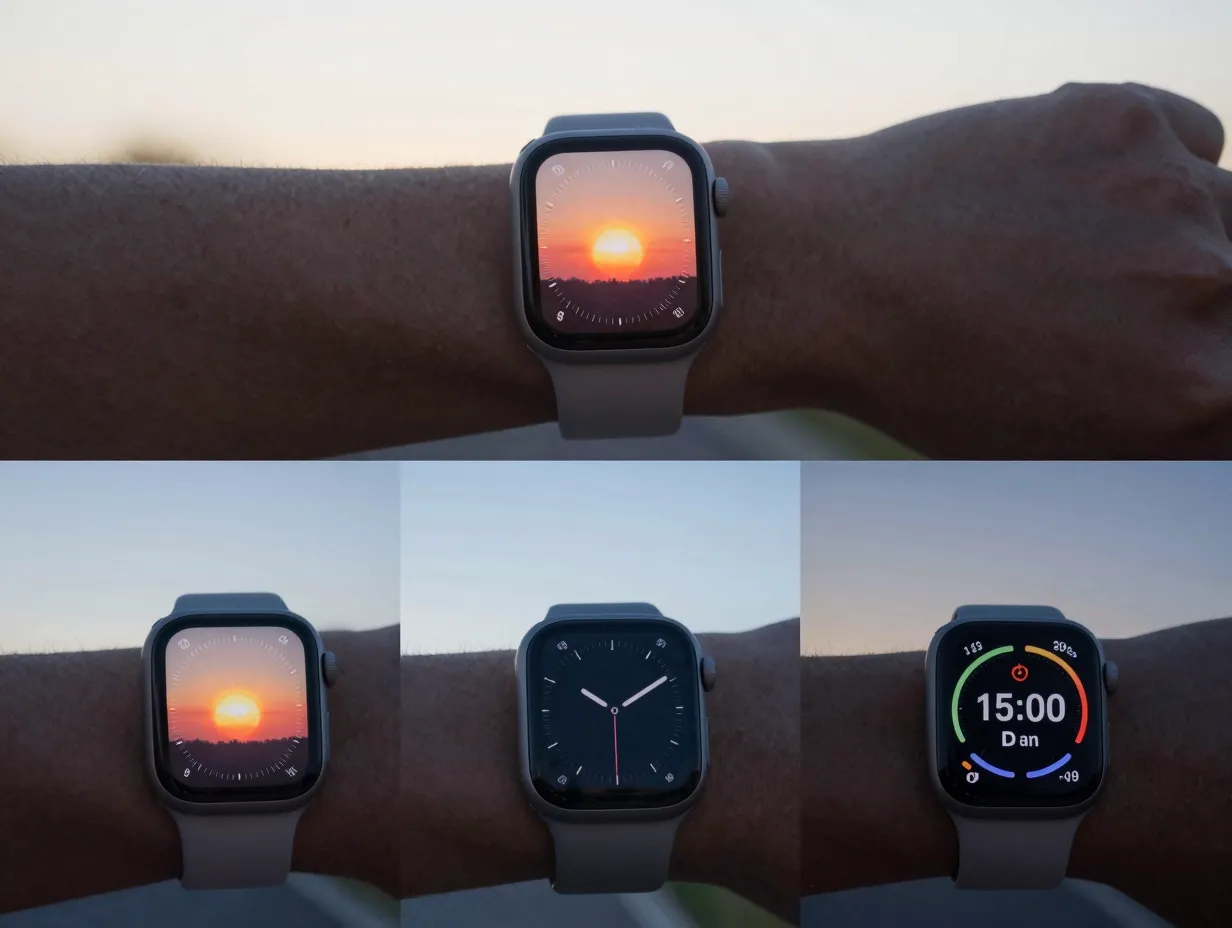
Walbum takes a fundamentally different approach to the concept of “endless options.” Rather than competing on catalog volume, the app advertises only 40+ free wallpapers, it competes on behavioral depth [2]. According to its App Store description updated in August 2026, Walbum now offers a series of “true native watch faces” that change automatically based on weather conditions, walking distance, and sunrise/sunset times [2].
This means a single face design can look and behave differently at 7 AM on a rainy morning than it does at 6 PM after a long walk. The watch face becomes a living display rather than a static image, which pushes Walbum firmly into the “endless options” category through contextual variation rather than sheer volume.
For users who find large catalogs overwhelming, Walbum’s curated-but-dynamic model offers a compelling alternative. The quality of each design is high, and the real-world responsiveness adds a layer of utility that purely decorative wallpapers cannot match.
Standout features:
- Dynamic faces that respond to weather, distance, and time of day
- Native watch face integration for Apple Watch
- Curated quality over catalog quantity
- Context-aware changes create ongoing variety
- Updated August 2026 with new dynamic behaviors
How to Choose the Right Platform for Your Needs
With so many strong options available, the best choice depends on a few key factors. The table below summarizes the primary differentiators across the six platforms.
| Platform | Best For | Catalog Size | Key Differentiator |
|---|---|---|---|
| WidgetClub | Free, no sign-up browsing | 6,252+ | Device-specific pre-scaled packs |
| Watch Faces Gallery Pro Kit | Apple Watch + iPhone matching | 5,700+ | 6K export + depth effect + AI faces |
| Facer | Multi-platform + custom design | Thousands+ | Browser-based editor + community |
| FreeWatchFaces.com | Multi-brand owners | Large aggregated | 8+ brands + install guides + builder |
| Smart Watch Faces Gallery | Wear OS seamless workflow | 2,000+ | Companion watch app + live wallpapers |
| Walbum | Dynamic, context-aware faces | 40+ (curated) | Weather/fitness-reactive native faces |
What to Look for Beyond Catalog Size
Catalog size is the most visible metric, but it is not the only one that matters when evaluating the 6 best smart watch wallpaper apps and sites for endless options. Several other factors significantly affect the user experience.
Resolution and scaling remain the most technically important consideration. A wallpaper that looks stunning at full size can appear blurry or poorly cropped on a 41mm watch screen if it was not designed for that specific resolution. Platforms like WidgetClub that offer model-specific packs address this directly [9].
AI generation is rapidly becoming a standard feature rather than a premium add-on. Apps like Watch Faces Gallery Pro Kit already advertise AI-generated faces, and tools like Smart Clock AI Wallpapers HD on Android promote AI-generated wallpapers with smart watch-style clock designs [4]. This trend signals that future catalogs will be effectively unlimited in scope.
Dynamic and live wallpapers add a dimension that static images cannot. The Smart Watch Faces Gallery App’s 2,000+ live wallpapers [6] and Walbum’s weather-reactive faces [2] both demonstrate that the most engaging watch faces are ones that respond to the real world.
Cross-platform compatibility matters for users who own more than one device or plan to switch brands. Facer’s support for Apple Watch, Wear OS, and Samsung/Tizen [2] makes it a long-term investment rather than a platform-specific purchase.
The Future of Smart Watch Wallpapers
The trajectory is clear. AI-based wallpaper generation, dynamic faces that respond to sensor data, and cross-platform design tools are converging into a new standard for what a smart watch wallpaper platform should offer. Industry observers expect deeper integration with upcoming watchOS and Wear OS releases, with more faces reacting in real time to notifications, fitness metrics, and environmental data rather than functioning as static backgrounds [4].
The continued expansion of multi-brand libraries like WidgetClub and FreeWatchFaces.com also points toward a future where the best platforms combine massive catalogs, AI generation, and device-aware export tools in a single interface [2]. Single-platform, static wallpaper packs will increasingly feel limited by comparison.
For users who want to stay ahead of this curve, the smartest move is to choose platforms that are already investing in these capabilities, particularly Facer for its editor tools, Watch Faces Gallery Pro Kit for its AI integration, and Walbum for its dynamic behavior engine.
Conclusion
Finding the right smartwatch wallpaper platform comes down to knowing what matters most: catalog size, device compatibility, dynamic behavior, or design control. The 6 best smart watch wallpaper apps and sites for endless options reviewed here cover every major use case, from the free-and-frictionless experience of WidgetClub to the AI-powered creativity of Watch Faces Gallery Pro Kit and the context-aware intelligence of Walbum.
Actionable next steps:
- Identify the smartwatch brand and model being used, then check which platforms offer pre-scaled packs for that device.
- Start with WidgetClub or FreeWatchFaces.com for free, no-commitment browsing across a large catalog.
- If using an Apple Watch, test Watch Faces Gallery Pro Kit for its depth effect and 6K export capability.
- For Wear OS users, install the Smart Watch Faces Gallery companion app for the smoothest phone-to-watch workflow.
- If catalog browsing feels overwhelming, switch to Walbum for a curated set of dynamic faces that evolve on their own.
- For full creative control, open Facer’s browser-based editor and build a custom face from scratch.
The default watch face that shipped with the device is rarely the best one available. With these six platforms, there is no reason to keep it.
References
[2] Best Smartwatch Wallpaper 50 Custom Designs For 2024 – https://cablesblog.com/best-smartwatch-wallpaper-50-custom-designs-for-2024/
[4] Details – https://play.google.com/store/apps/details?id=com.analog.clock.digital.clocks.wallpaper.livewallpaper.fourkwallpaper.nighttime.nightwatch&hl=en_IN
[6] Details – https://play.google.com/store/apps/details?id=com.cem.watch.faces&hl=en_US
[9] Smart Watch Wallpaper Guide Fit, Format Free Sources – https://electronics.alibaba.com/question/smart-watch-wallpaper-guide-fit,-format-free-sources