6 Inspiring iPhone Vision Board Ideas to Visualize Your Goals
A 2026 study of habit formation found that people who see their goals represented visually at least twice a day are significantly more likely to take consistent action toward them. That single insight explains why the iPhone lock screen has become the most powerful personal development tool most people already own but rarely use intentionally. The 6 inspiring iPhone vision board ideas to visualize your goals covered in this guide turn a device that gets checked 96 times daily into a constant, personalized reminder of what matters most.
Disclosure: This post contains affiliate links. As an Amazon Associate, we earn from qualifying purchases, and at no extra cost to you.
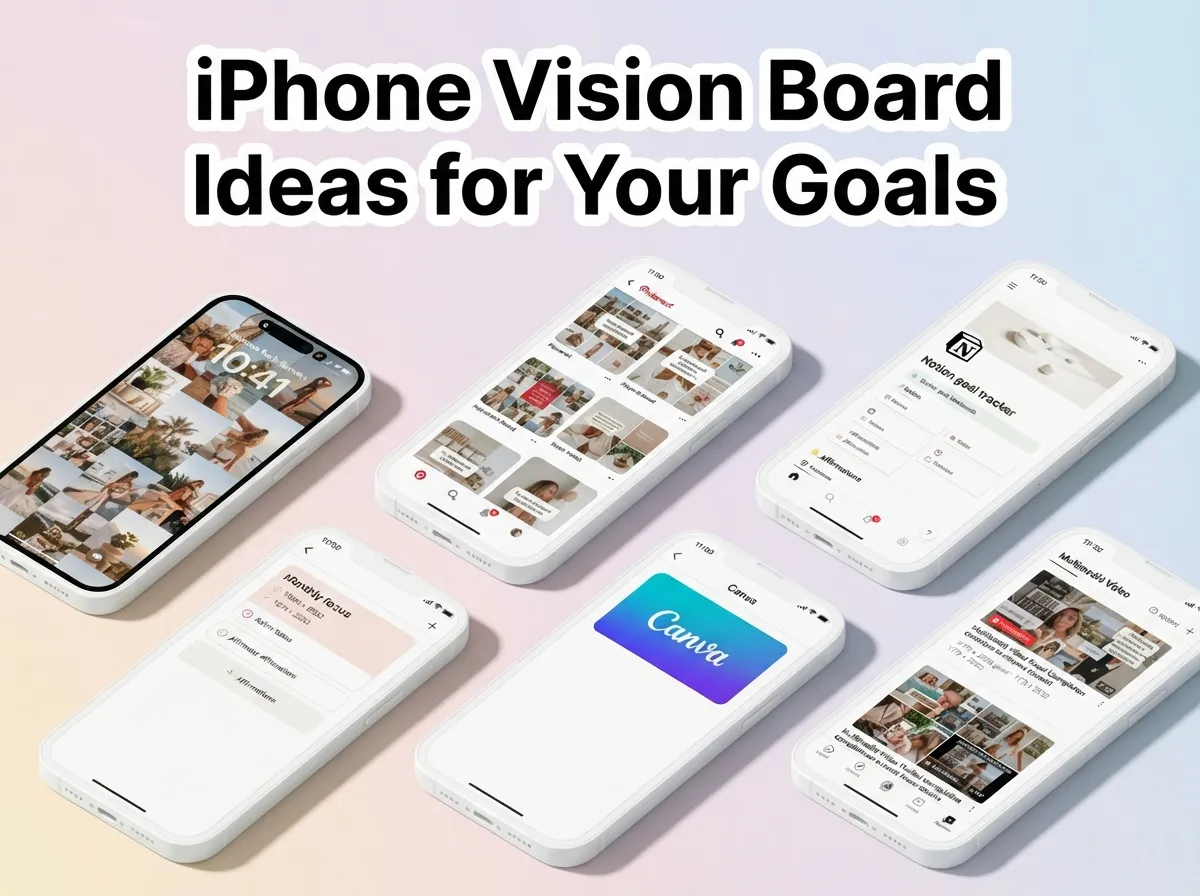
Whether the goal is financial freedom, physical health, a creative career, or stronger relationships, a well-designed iPhone vision board places that intention directly in the line of sight every time the phone is picked up. The ideas below range from zero-download beginner methods to advanced app-powered systems, so there is a practical starting point for every experience level.
Key Takeaways
- The iPhone lock screen is the highest-visibility placement for a vision board, turning routine phone checks into daily goal reinforcement.
- Canva, Pinterest, Notion, and dedicated apps each serve a different need; mixing tools produces the strongest results.
- Monthly focus boards outperform sprawling year-long collages for maintaining attention on current priorities.
- Home-screen widgets and multimedia vision board movies are the most innovative 2026 formats for iPhone users.
- Beginners can build an effective iPhone vision board in under ten minutes using only Apple Photos or Notes, with no extra apps required.
What Makes an iPhone Vision Board Actually Work
Before exploring the specific ideas, it helps to understand why format and placement matter more than the images chosen. A vision board that lives in a folder or a closed app delivers almost no benefit. The psychological mechanism behind visualization depends on repeated, effortless exposure. When a goal-related image is seen dozens of times a day, the brain begins to treat that goal as a normal, expected part of life rather than a distant wish.
The dominant 2026 approach addresses this directly: design the board in a flexible tool, export it at iPhone wallpaper resolution, and set it as the lock screen or home screen background so it “actually does its job” [1]. This workflow-first thinking separates effective iPhone vision boards from decorative digital collages that are rarely opened.
The six ideas below are ordered from the simplest to the most feature-rich, making it easy to start at the right level and build upward.
6 Inspiring iPhone Vision Board Ideas to Visualize Your Goals
1. The Lock-Screen Wallpaper Board
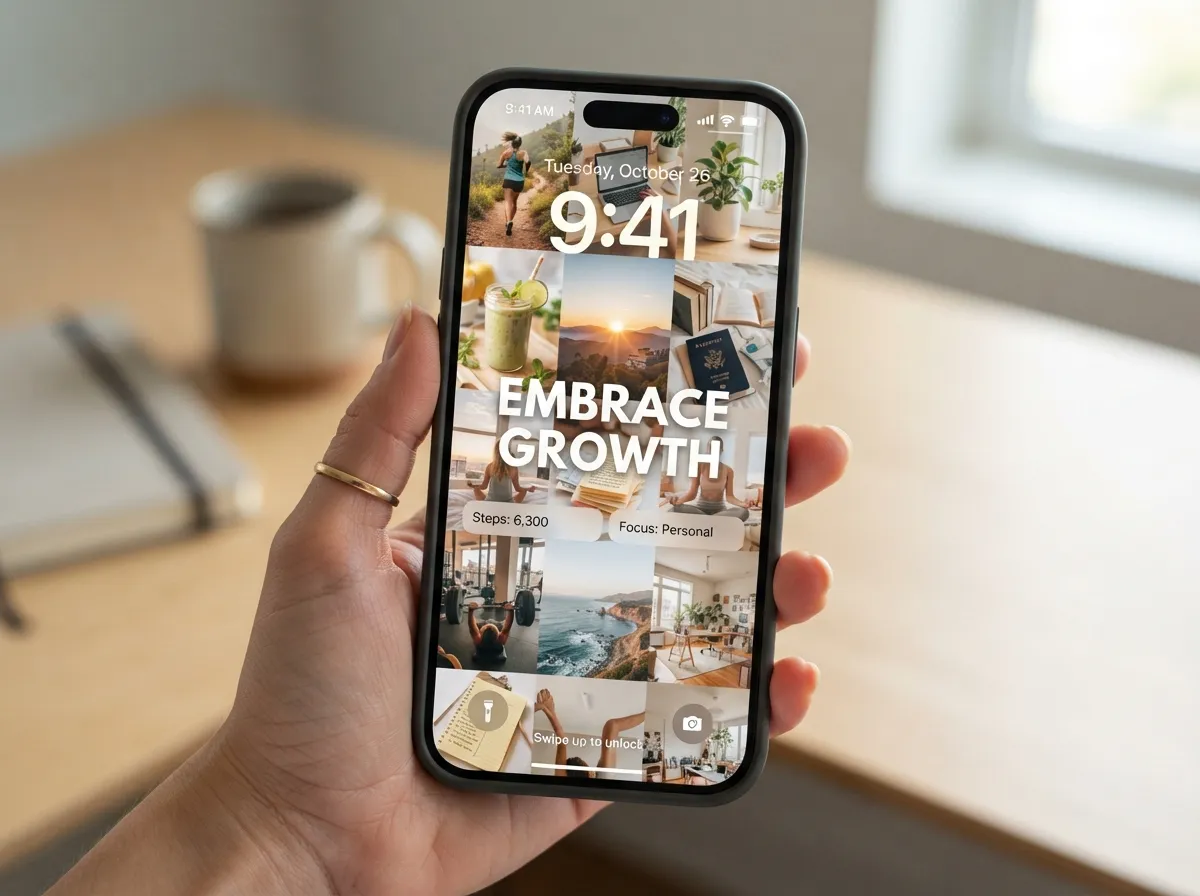
The lock-screen wallpaper board is the most impactful idea on this list because it requires no ongoing effort after the initial setup. The concept is straightforward: design a collage of goal-related images and affirmations, size it to iPhone wallpaper dimensions, and set it as the lock screen.
How to build it:
The recommended workflow uses Canva, which offers iPhone wallpaper templates at the correct 1170 x 2532 pixel ratio for modern iPhone models. Users select images that represent their goals, arrange them in a clean grid or layered collage, add a short affirmation or word in large text, and export the finished design as a JPEG or PNG. The file is then saved to the Photos app and applied through the iPhone’s Wallpaper settings [1].
Why it works:
The average person unlocks their iPhone roughly 96 times per day. Each unlock becomes a micro-visualization session. Over a week, that adds up to more than 670 exposures to the goal imagery, which is far more than any dedicated meditation or journaling practice delivers.
Best for: Anyone who wants maximum daily exposure with minimal ongoing maintenance.
2. The Pinterest-Powered Mood Board
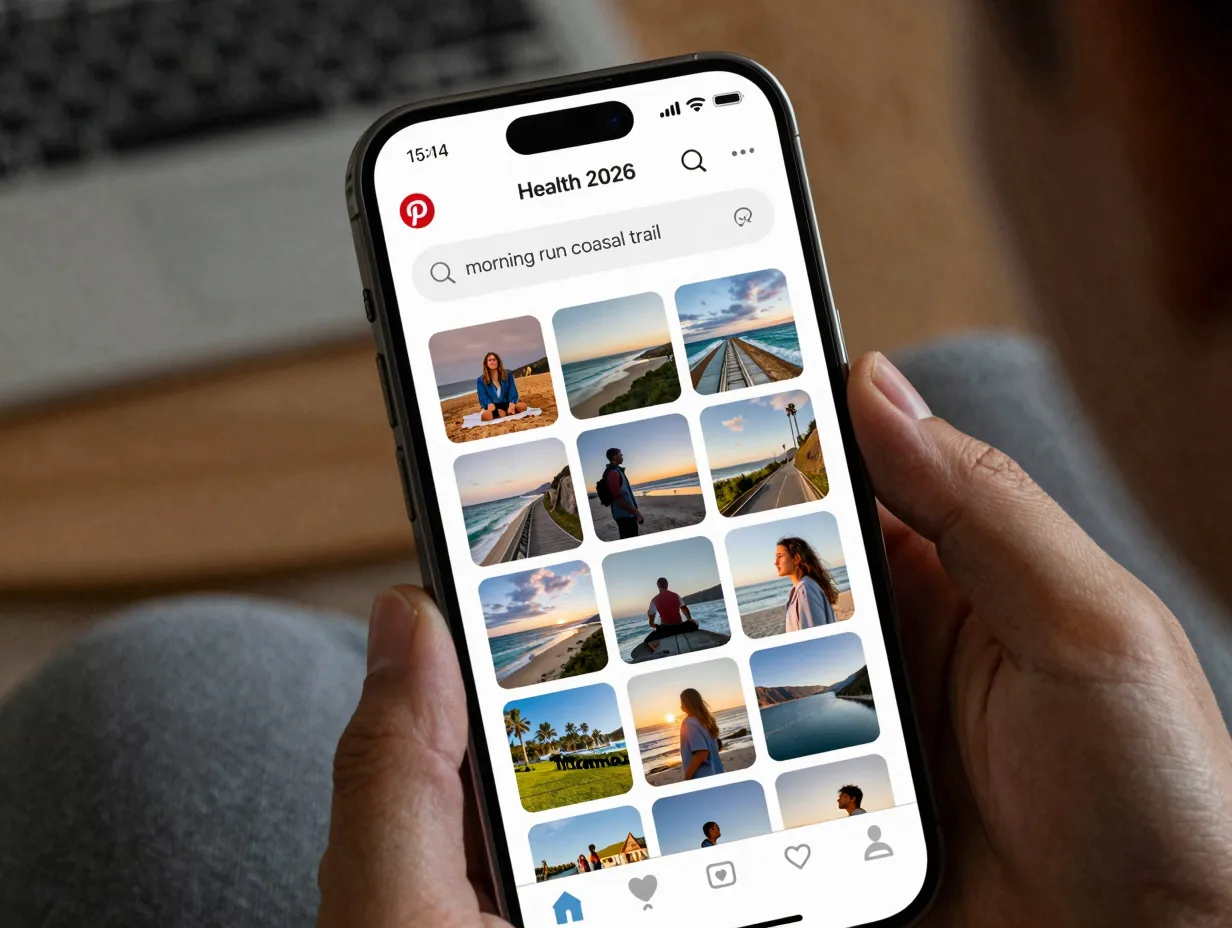
Pinterest remains one of the most effective free tools for building an iPhone vision board because its entire architecture is designed around visual discovery and curation. The Pinterest-powered mood board idea uses the platform’s search and save features to gather images, then converts the resulting board into a wallpaper or a saved album.
Step-by-step process:
- Create a secret Pinterest board titled with the goal category (e.g., “Health 2026” or “Career Vision”).
- Search for images using specific, emotionally resonant terms rather than generic ones. “Morning run coastal trail” produces more motivating results than “fitness.”
- Save 15 to 25 images that feel genuinely compelling, not just aspirational in a vague way.
- Take a screenshot of the board grid or use Pinterest’s mobile export to save individual images.
- Combine the saved images into a collage using the iPhone’s built-in Photos editing tools or Canva, then set the result as the lock screen.
Pinterest is identified by expert reviewers as the best free tool for image discovery in the iPhone vision board space [12]. Its recommendation algorithm also surfaces new related images over time, keeping the board feeling fresh without manual searching.
Best for: Visual thinkers who enjoy curating aesthetics and want a free, image-rich starting point.
3. The Notion Goal-Tracking Vision Board
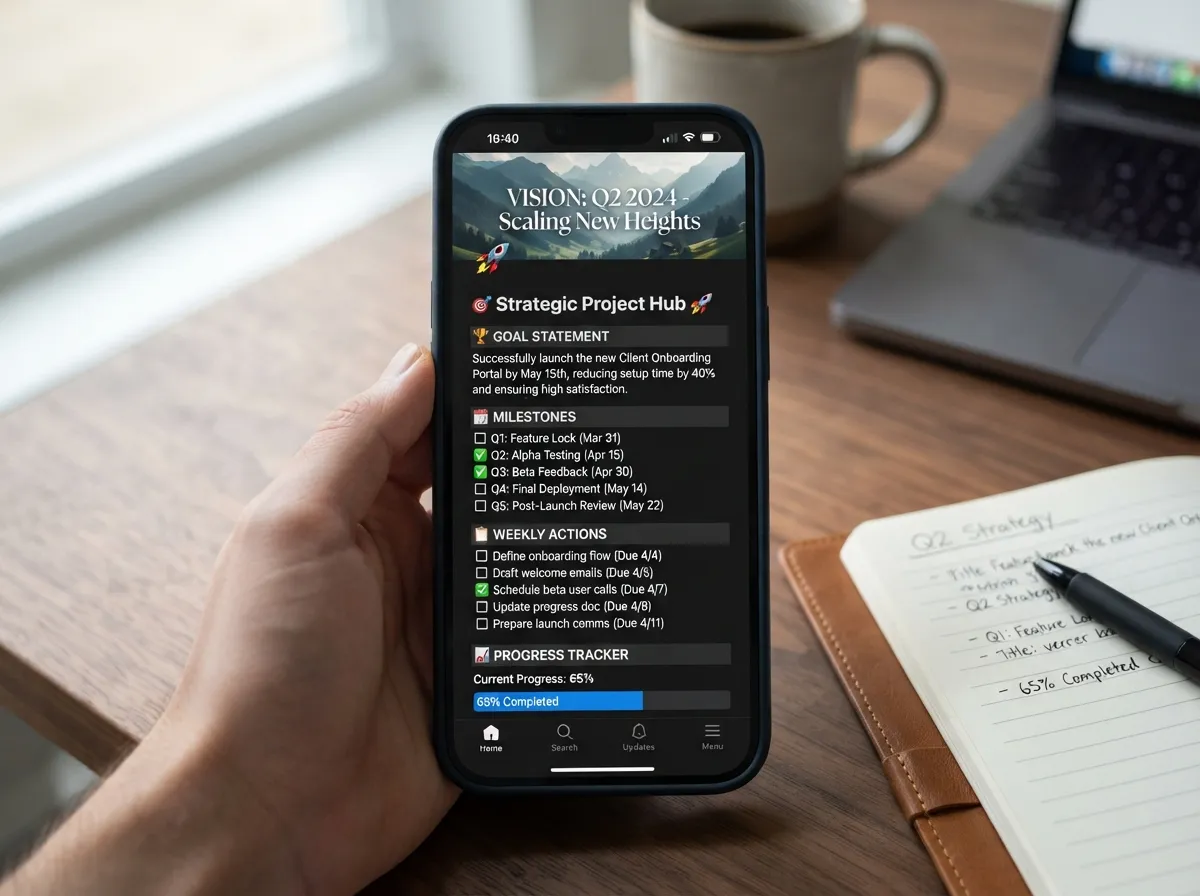
The Notion goal-tracking vision board bridges the gap between inspiration and execution. While a standard collage shows what a goal looks like, a Notion board shows what achieving it will require. This makes it the most analytically powerful format among the 6 inspiring iPhone vision board ideas to visualize your goals.
Structure of an effective Notion vision board:
| Section | Content |
|---|---|
| Vision Image | A full-width cover photo representing the goal |
| Goal Statement | One clear sentence defining the outcome |
| Milestones | Three to five measurable checkpoints |
| Weekly Actions | Specific tasks linked to each milestone |
| Progress Tracker | A simple percentage or date-based progress bar |
Notion is specifically recommended for users who want to attach detailed goal tracking directly to their vision boards [12]. The mobile Notion app renders well on iPhone, and a board page can be saved as a home-screen shortcut for one-tap access.
The key differentiator: Unlike a static wallpaper, a Notion board is a living document. When a milestone is completed, it gets checked off. When a strategy is not working, it gets revised. The visual inspiration and the action plan exist in the same place, which reduces the gap between dreaming and doing.
Best for: Goal-oriented users who want accountability structures alongside their visual inspiration.
4. The Monthly Focus Board
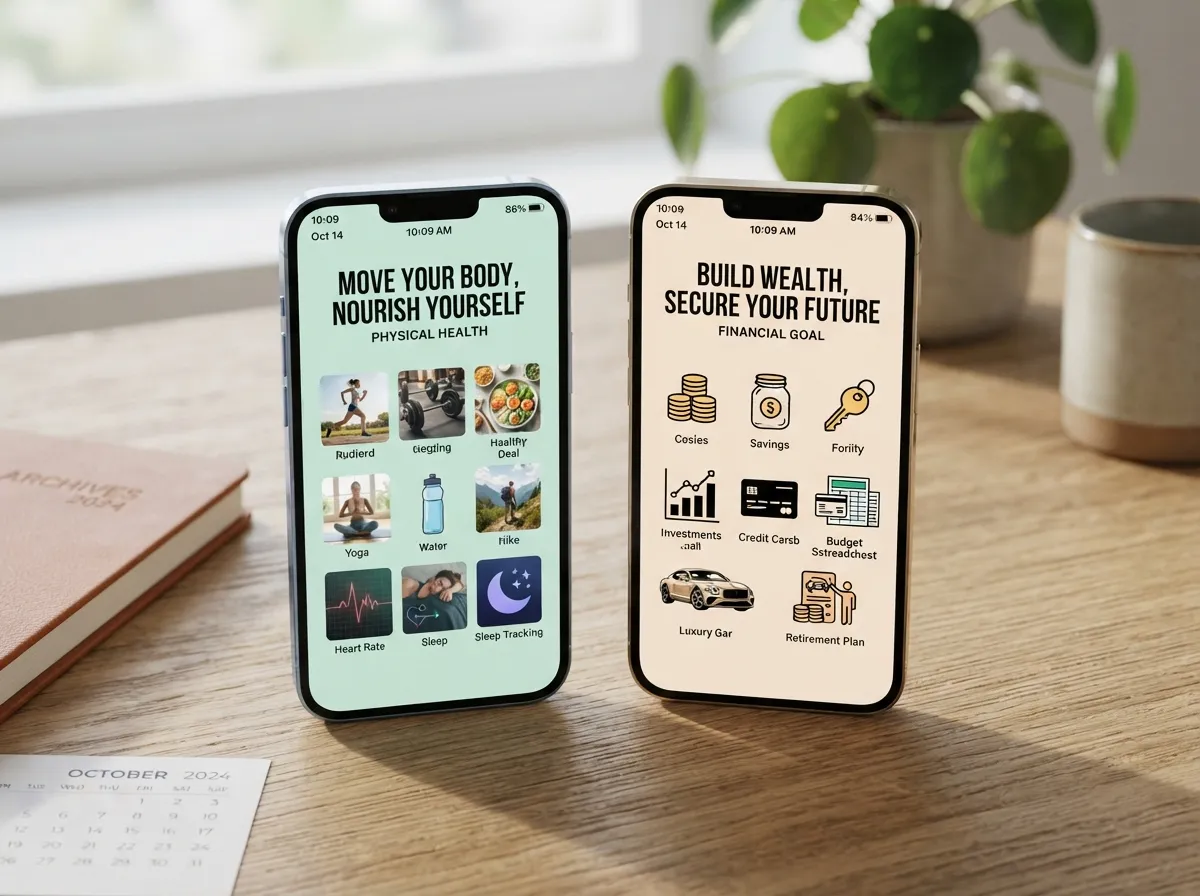
The monthly focus board is a 2026 innovation that directly solves one of the most common vision board failures: the sprawling, unfocused collage that tries to cover every life area at once and ends up motivating none of them.
The method, promoted by several 2026 digital vision board guides, involves creating a new iPhone board each month tied to a single theme [13]. In January, the board might focus entirely on physical health. In February, it shifts to a specific financial goal. In March, it covers a creative project. Each board is simple, specific, and time-bounded.
Why monthly boards outperform annual boards:
- Attention is finite. A board with 30 images across 10 life categories competes with itself.
- Monthly themes align with natural planning rhythms (monthly reviews, habit resets).
- Updating the board each month creates a ritual that reinforces commitment.
- A focused board produces clearer action cues than a general inspiration collage.
Practical setup: Design each monthly board in Canva using a consistent template so the process takes under 20 minutes. Keep the image count low (six to nine images maximum) and include one bold text affirmation. At the end of the month, save the board to a “Completed Boards” album in Photos before replacing it with the new one. This archive becomes a visual record of the year’s progress.
Best for: People who feel overwhelmed by large vision boards or who have struggled to stay motivated with annual boards.
5. The Home-Screen Widget Micro-Board
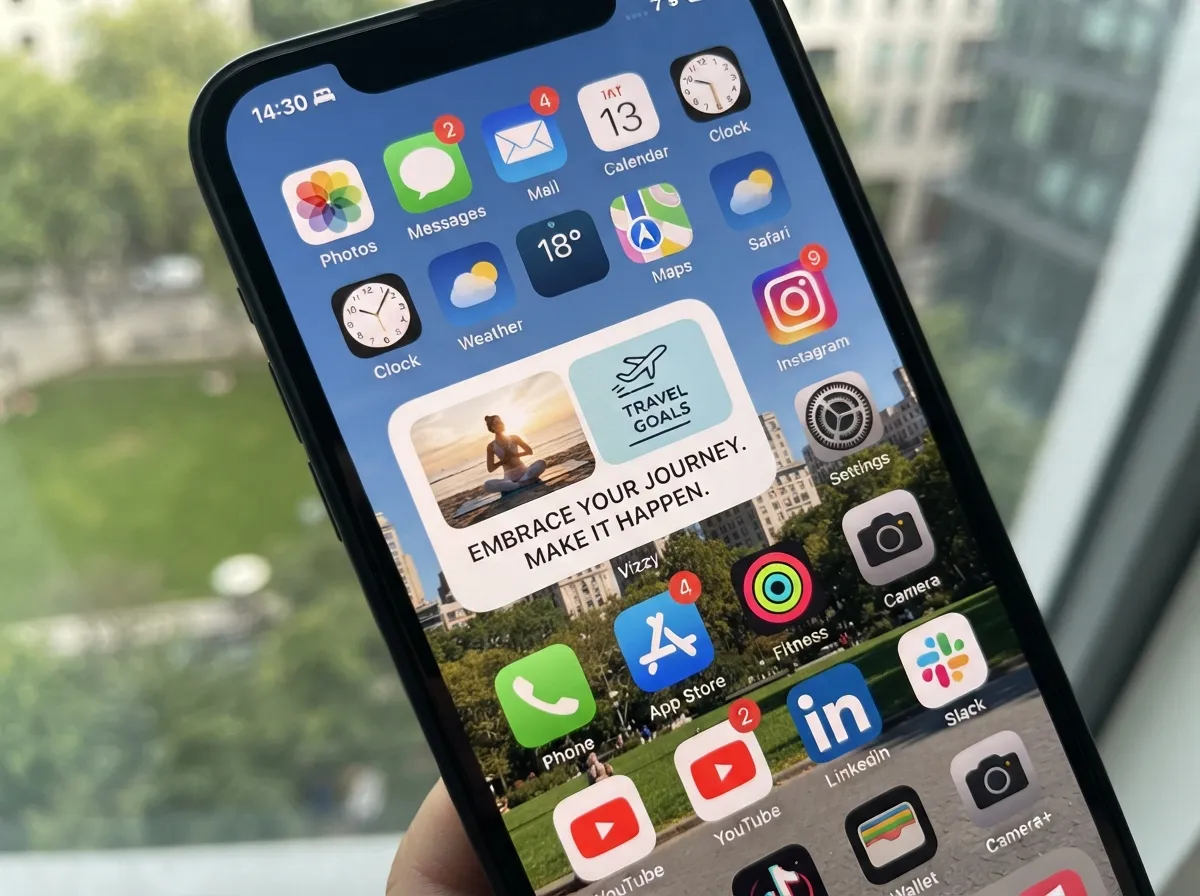
The home-screen widget micro-board is the most technically innovative idea in the 6 inspiring iPhone vision board ideas to visualize your goals lineup. Rather than requiring a phone unlock to see the vision board, this approach places goal imagery directly on the iPhone home screen as a persistent widget.
Apps such as 2026 Vision Board Maker Vizzy are specifically designed to create vision board widgets for the iPhone home screen [6]. Over 200 vision board tools now integrate boards into widgets for what app catalog reviewers describe as “constant inspiration throughout the day” [7].
How widget boards work:
- Open a widget-compatible vision board app (Vizzy is a leading 2026 option).
- Create a small board or select a single high-impact image.
- Use the iPhone’s widget customization menu (long-press the home screen, tap the plus icon) to add the app’s widget in the desired size.
- The widget displays the vision board image or cycles through a set of goal images automatically.
Widget size options and their uses:
- Small (2×2): Best for a single powerful image or affirmation word.
- Medium (4×2): Fits two to three images side by side for a mini-collage effect.
- Large (4×4): Displays a full mini-board with multiple images and a text affirmation.
The widget approach is particularly effective because it does not require any action from the user. The goal imagery is simply present every time the home screen is visible, which happens constantly throughout the day.
Best for: Tech-comfortable users who want passive, always-visible goal reinforcement without opening an app.
6. The Multimedia Vision Board Movie
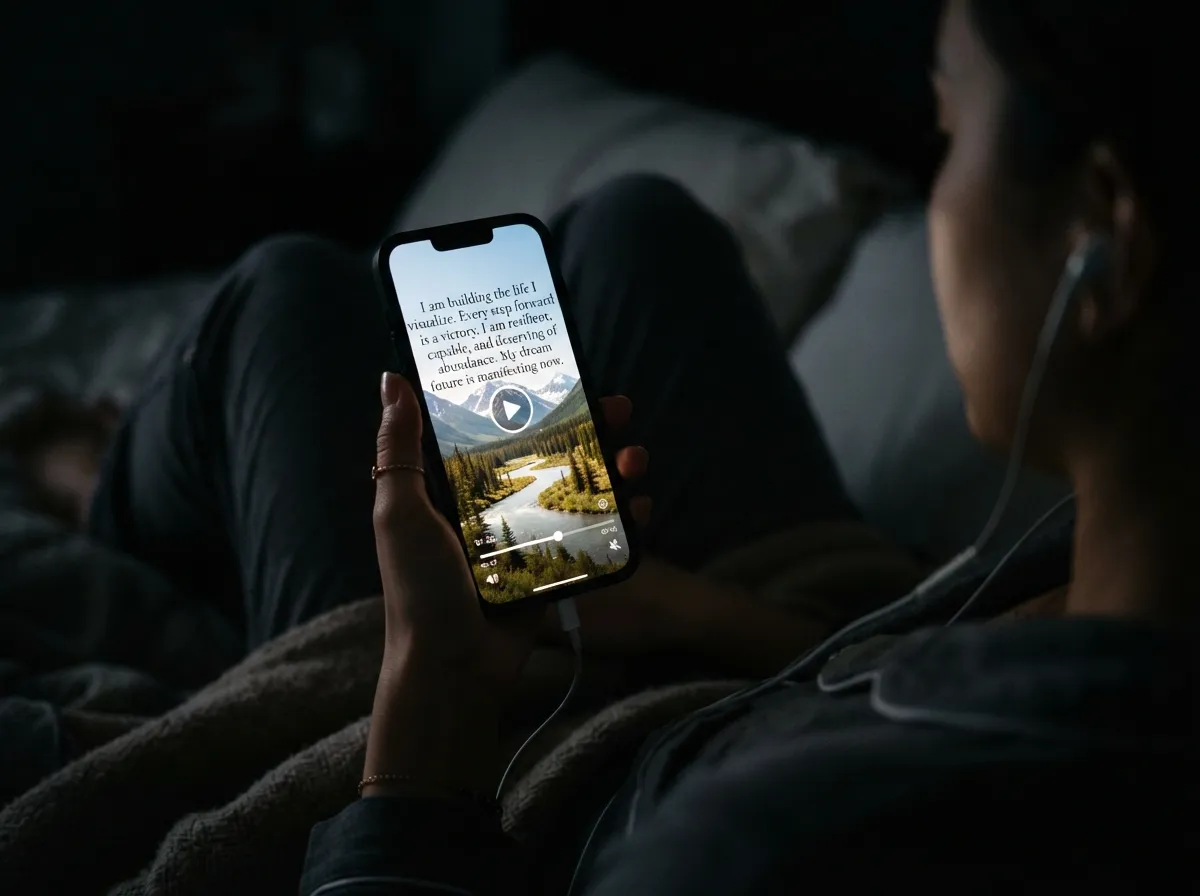
The multimedia vision board movie is the most immersive format available to iPhone users in 2026. Instead of a static image, this approach combines goal-related photos, written affirmations, background music, and spoken words into a short video that plays as a daily visualization practice.
Several leading apps now support this format. Vision Board ++ Maker Manifest (Vision Board ++ on the App Store) allows users to pull in images from Unsplash, pair them with affirmations and music, and create a video slideshow that “brings dreams to life” [5]. The Perfectly Happy app similarly enables users to turn their boards into videos for daily visualization [8].
What a strong vision board movie includes:
- 8 to 12 goal images, each displayed for three to five seconds
- A personal affirmation in text overlay on each image
- Background music that creates an emotionally elevated state (calm and focused, or energized, depending on the goal type)
- Optional: a recorded voice narration of the goal statement
The science behind the format: Combining visual, auditory, and linguistic input during a visualization session engages more of the brain than a single static image. This multi-sensory approach is associated with stronger emotional encoding of the goal, which research on mental rehearsal suggests improves follow-through.
Viewing routine: The most effective practice is to watch the vision board movie once in the morning and once before sleep, when the brain is most receptive to suggestion and emotional priming. Each session takes under three minutes.
Best for: Users who are serious about daily visualization practice and want the most emotionally engaging format available.
Choosing the Right App for Each Idea
The tool chosen shapes the experience significantly. The table below maps each idea to its best-fit app or platform.
| Vision Board Idea | Best App/Tool | Key Strength |
|---|---|---|
| Lock-Screen Wallpaper Board | Canva | Template variety, precise sizing |
| Pinterest-Powered Mood Board | Free, vast image library | |
| Notion Goal-Tracking Board | Notion | Linked action plans, mobile access |
| Monthly Focus Board | Canva or Apple Notes | Speed, simplicity, zero cost |
| Home-Screen Widget Micro-Board | Vizzy (2026 Vision Board Maker) | Native widget integration [6] |
| Multimedia Vision Board Movie | Vision Board ++ / Perfectly Happy | Slideshow, music, affirmations [5][8] |
For users who want a single dedicated app that covers most of these functions, Vision Board ++ holds a 4.9-star rating from over 9,000 reviews and includes streak tracking, music-backed slideshows with spoken affirmations, and iCloud sync across devices [3]. Subscription pricing for dedicated vision board apps in 2026 typically ranges from a few dollars per month to around $25 per year for full-featured plans, with some apps offering lifetime access options [4].
For users who want a structured goal-expansion system rather than a pure collage, GoalMatrix: Vision Board uses a 9×9 Mandala Chart grid that expands concrete steps around a central life vision. It launched on iPhone in August 2026 and is used by athletes and business leaders as a visual thinking tool [10].
“The most effective iPhone boards blend visualization with journaling and habit tracking.” — 2026 analysis of 13 leading vision board apps [11]
The Zero-Download Beginner Method
Not every effective iPhone vision board requires a paid app or a complex workflow. Multiple 2026 guides recommend a simple method for beginners: curate images into an Apple Photos album, use the built-in collage feature in Notes to arrange them, and set the result as the lock screen [1].
Steps for the zero-download method:
- Open Safari and save 6 to 10 goal-related images to the Photos app (free stock sites like Unsplash work well).
- Open the Notes app and create a new note. Tap the image icon to insert all saved photos.
- Arrange the images in a grid by adjusting their order within the note.
- Take a screenshot of the completed note layout.
- Go to Settings, then Wallpaper, and set the screenshot as the lock screen.
This approach costs nothing, requires no new apps, and can be completed in under ten minutes. It is recommended specifically for those who want an iPhone vision board without installing extra apps or paying subscriptions [1].
Common Mistakes to Avoid
Even well-intentioned vision boards fail when these errors are present:
Overcrowding the board. More images do not mean more motivation. A board with 40 images creates visual noise. Six to twelve images is the effective range for most people.
Choosing aspirational images that feel unrelated to real life. A board filled with images of private jets and celebrity lifestyles can trigger a psychological distance effect, making the goal feel less achievable rather than more. Choose images that feel one or two steps ahead of current reality, not ten.
Building the board once and never updating it. Goals evolve. A board from January 2026 may not reflect priorities in July 2026. Schedule a monthly or quarterly review to refresh the content.
Storing the board in an app that is rarely opened. Placement determines effectiveness. A board that requires three taps to reach will not be seen consistently. The lock screen and home screen widget formats exist precisely to solve this problem [1][6].
Conclusion
The 6 inspiring iPhone vision board ideas to visualize your goals covered here represent a spectrum from the elegantly simple to the richly immersive. Each one works because it solves the core problem of traditional vision boards: the goal imagery is never seen often enough to make a difference.
Actionable next steps:
- Choose one idea from this list that matches the current comfort level and time available. Beginners should start with the lock-screen wallpaper board or the zero-download method.
- Spend 20 minutes this week building the first board. Use Canva for the lock-screen method, Pinterest for image discovery, or the Apple Photos/Notes workflow for a no-app approach.
- Set a recurring monthly calendar reminder to review and refresh the board. This single habit separates people who use vision boards as decoration from those who use them as a genuine goal-achievement system.
- As comfort grows, layer in additional ideas. Add a Notion goal-tracking board for accountability, then experiment with a home-screen widget or a multimedia movie for deeper daily engagement.
The iPhone is already in hand dozens of times each day. The only question is whether that screen time is working toward the goals that matter most.
References
[1] Best Vision Board App Iphone 2026 – https://notewall.info/blog/best-vision-board-app-iphone-2026
[3] Die 10 Besten Vision Board Apps Fuer Das Iphone 2024 – https://www.thevisionboard.app/de/die-10-besten-vision-board-apps-fuer-das-iphone-2024/
[4] Id1155742410 – https://apps.apple.com/us/app/vision-board-2027/id1155742410
[5] Id1609921022 – https://apps.apple.com/us/app/vision-board-maker-manifest/id1609921022
[6] Id6448313693 – https://apps.apple.com/us/app/2026-vision-board-maker-vizzy/id6448313693
[7] Best Vision Board Tools – https://appshunter.io/ios/topics/best-vision-board-tools
[8] Id1486165358 – https://apps.apple.com/us/app/vision-board-perfectly-happy/id1486165358
[10] Id6757743843 – https://apps.apple.com/se/app/goalmatrix-vision-board/id6757743843
[11] Top Vision Board Apps Iphone – https://www.thevisionboard.app/top-vision-board-apps-iphone/
[12] 2025 Vision Board – https://appshunter.io/ios/topics/2025-vision-board