6 Must-Have Samsung Watch Faces For Functionality And Flair
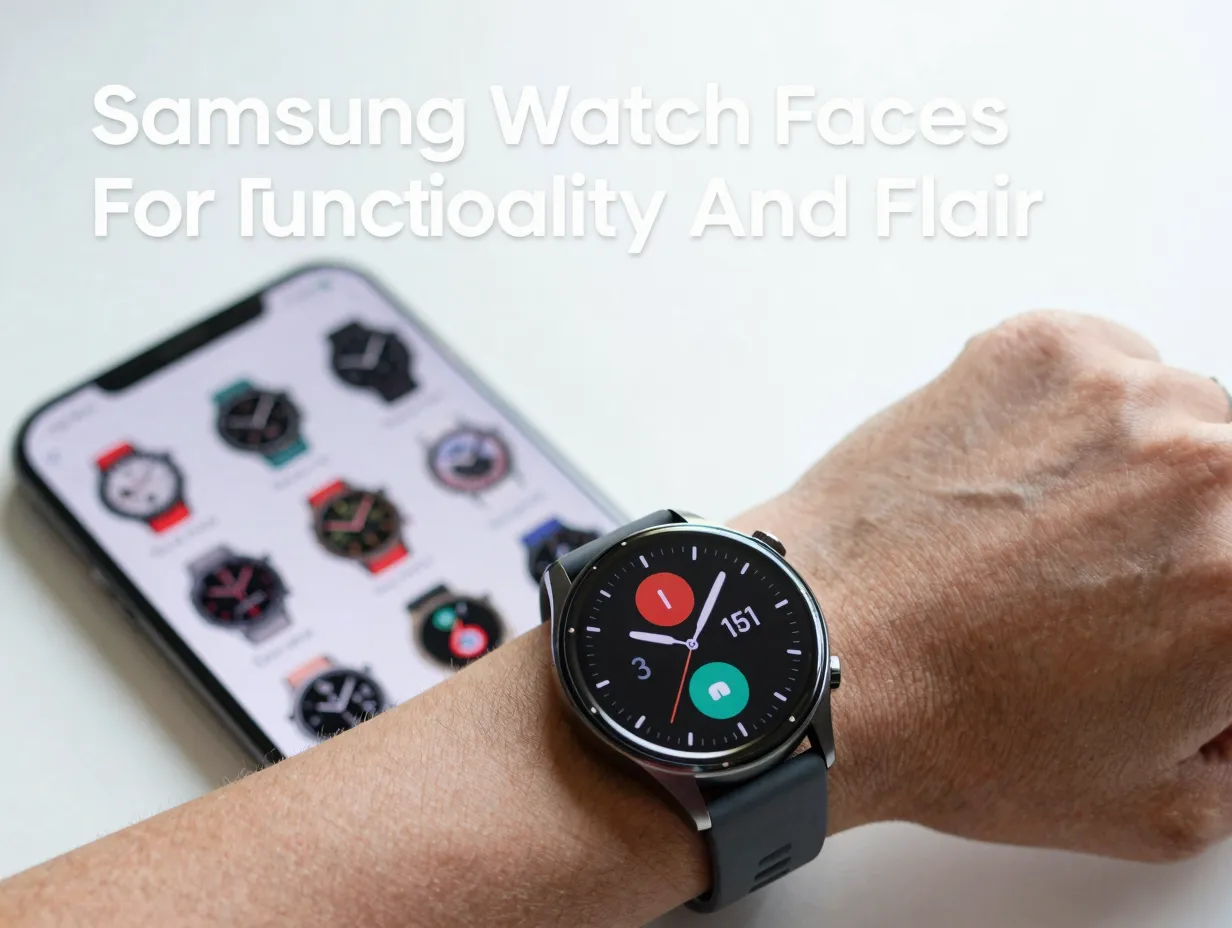
Over 40 million Galaxy Watch units were shipped globally in 2025 alone, yet most owners never change the default watch face that came loaded on their device. That single choice, or lack of one, means leaving a powerful layer of personalization, health tracking, and daily utility completely untapped. The right watch face is not just decoration; it is the primary interface between the wearer and everything their smartwatch can do. This guide to the 6 Must-Have Samsung Watch Faces For Functionality And Flair cuts through the noise of thousands of available options to highlight the faces that genuinely earn a place on your wrist in 2026.
Disclosure: This post contains affiliate links. As an Amazon Associate, we earn from qualifying purchases, and at no extra cost to you.
Key Takeaways
- The best Samsung watch faces in 2026 balance dense health and fitness data with strong visual design, not one at the expense of the other.
- Native Samsung faces like Info Brick and Info Board remain top picks for maximum complication density and deep customization.
- Third-party faces such as Digitium and Gear Watch by Pujie deliver a retro-mechanical aesthetic alongside real data utility.
- Sleep Coach is the standout purpose-built wellness face, surfacing sleep metrics and coaching directly on the dial.
- Applying and customizing any face takes under two minutes using either the Galaxy Wearable app or the long-press method on the watch itself.
What Makes a Samsung Watch Face Truly “Must-Have” in 2026
Not every watch face that looks good deserves a spot on your Galaxy Watch. A truly must-have face earns that label by meeting two standards simultaneously: it must surface information that matters at a glance, and it must do so with enough visual appeal that wearing it feels intentional rather than accidental.
Expert roundups from Android Authority, Digital Trends, and Wareable consistently judge faces on a short list of criteria [2][3][8]:
- Complication count: How many data fields can be shown at once, battery, heart rate, steps, weather, and shortcuts are the baseline.
- Legibility: Can the time and key stats be read in a single glance, even in bright sunlight or during a workout?
- Customization depth: Can colors, fonts, complication positions, and background images be changed to match personal style?
- Always-On Display (AOD) support: A quality face should have a clean AOD version that conserves battery while still showing essential data.
- Cross-device compatibility: In 2026, a top-tier face should work across Galaxy Watch 8, Watch 7, Watch 6, and Watch Ultra on Wear OS 4 or later [9][10].
The six faces profiled below each satisfy all five criteria. They span native Samsung designs, purpose-built wellness faces, and third-party data-heavy options, giving every type of Galaxy Watch user at least one natural fit.
The 6 Must-Have Samsung Watch Faces For Functionality And Flair
The following six faces represent the strongest intersection of design and data available on Samsung Galaxy Watch hardware in 2026. Each entry covers what makes the face stand out, who it suits best, and how to make the most of its customization options.
1. Info Brick
Best for: Power users who want maximum data density in a structured grid layout
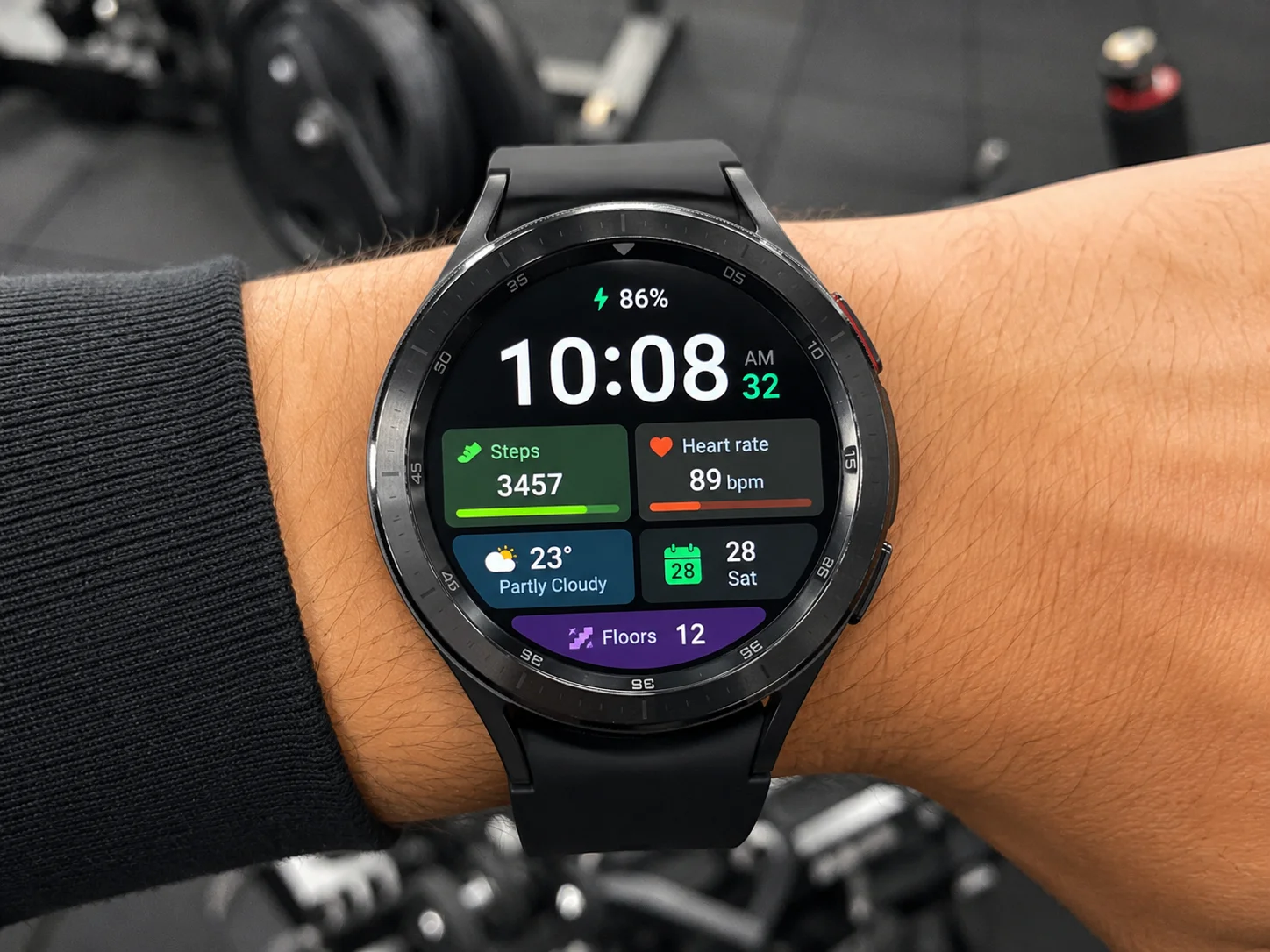
Info Brick is one of Samsung’s own native faces and consistently ranks at or near the top of every credible “best Galaxy Watch faces” list [8][13]. The reason is straightforward: it fits up to five complications onto a single dial without the layout feeling cluttered, because it uses a clean brick-style grid that separates each data field into its own visual block.
What it shows by default:
- Current time (large, center-dominant)
- Battery percentage
- Heart rate (live)
- Step count
- Weather temperature with condition icon
- Date and day
Why it earns its place: The grid structure means the eye travels predictably from one block to the next. There is no hunting for data. Users who commute, exercise, or work in fast-paced environments report that Info Brick reduces the number of times they need to pull out their phone for quick status checks.
Customization tips: Long-press the watch face, tap the pencil icon, and swap any of the five complication slots for alternatives including sleep duration, calories burned, UV index, sunrise/sunset time, or a shortcut to a favorite app. Color themes can be changed to match outfit or mood, with over a dozen palette options available natively [8].
Compatibility: Galaxy Watch 8, Watch 8 Classic, Watch 7, Watch 6, Watch 6 Classic, Watch Ultra, and all Wear OS 4+ devices.
2. Info Board
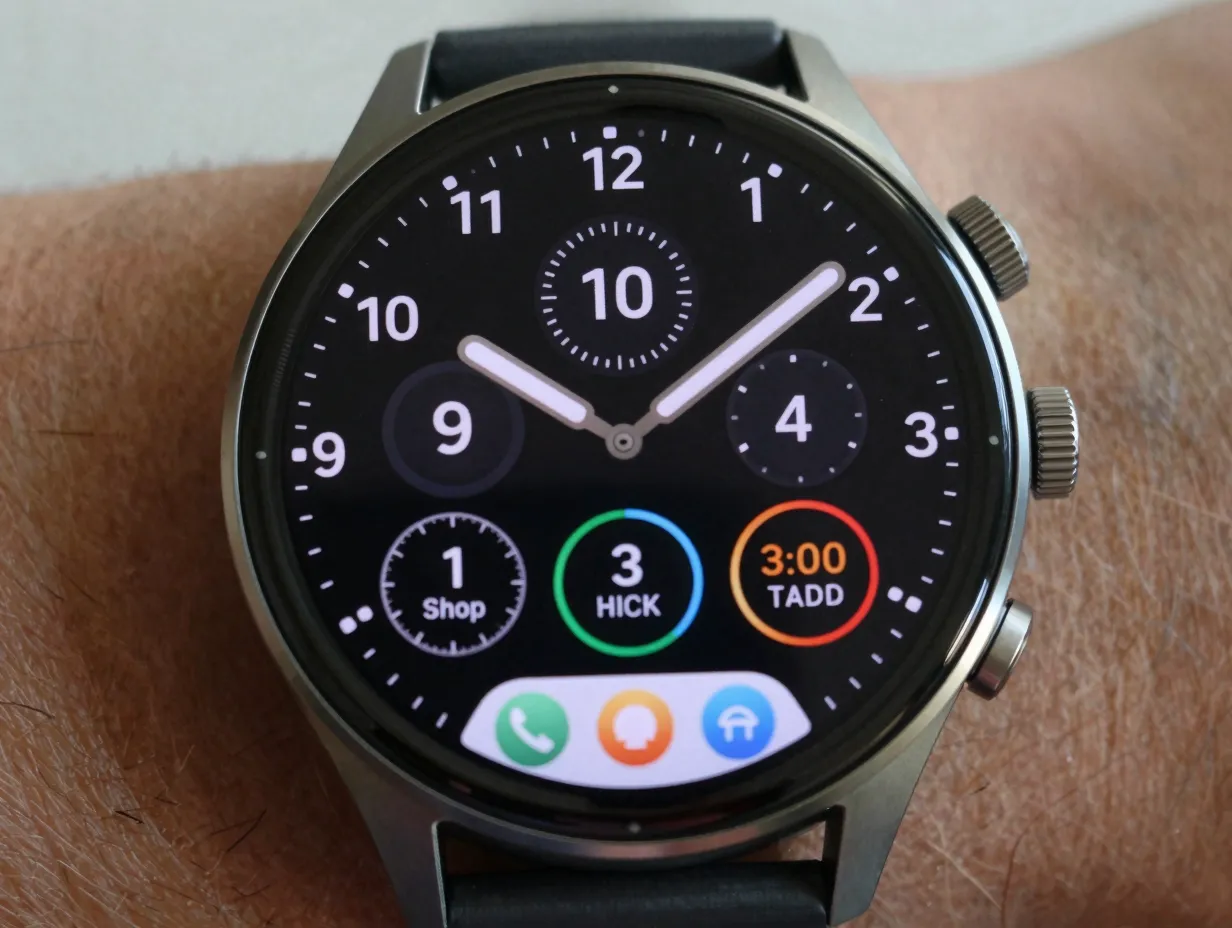
Best for: Professionals and productivity-focused users who want a dashboard-style overview
Where Info Brick organizes data into a grid, Info Board takes a more horizontal, dashboard-inspired approach. It feels less like a traditional watch face and more like a condensed status screen, which is exactly what makes it compelling for users who treat their Galaxy Watch as a wrist-mounted productivity tool [8][13].
Standout features:
| Feature | Detail |
|---|---|
| Complication slots | Up to 5, arranged in a row beneath the time |
| Time display | Large digital numerals, high contrast |
| Shortcut bar | Bottom row supports app shortcuts alongside health stats |
| Color customization | Background, text, and complication colors all independently adjustable |
| AOD version | Clean, battery-efficient always-on layout |
The shortcut bar at the bottom is Info Board’s defining feature. Rather than simply displaying passive data, it lets users tap directly into apps, Samsung Health, Messages, Weather, or any installed app, without navigating through the watch’s menu. This turns the watch face itself into a micro-launcher [8].
Who benefits most: Anyone who regularly checks multiple metrics in the morning (sleep score, weather, calendar, battery) will find that Info Board replaces several swipes with a single wrist raise.
3. Sleep Coach
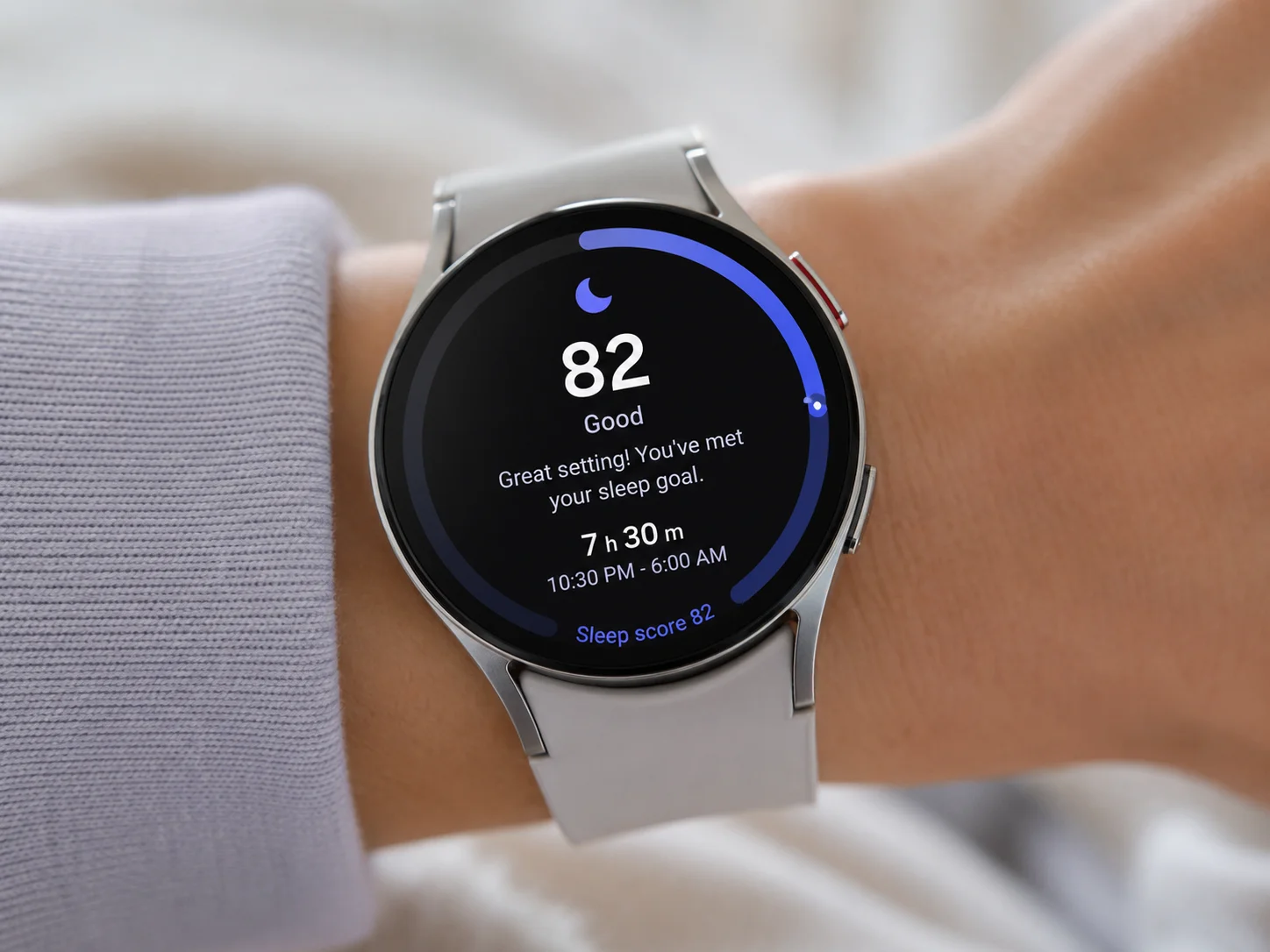
Best for: Sleep-focused users and anyone using Samsung’s wellness ecosystem seriously
Sleep Coach is the most purpose-built face on this list. Introduced with the Galaxy Watch 6 and refined through subsequent models, it was designed specifically to bring sleep data and coaching prompts to the surface of the watch face rather than burying them inside the Samsung Health app [13].
What makes it different from other health faces:
Most health-oriented watch faces show a step count or a heart rate number. Sleep Coach goes further by displaying:
- A sleep score from the previous night (0-100)
- A short coaching prompt based on sleep patterns (e.g., “Try to wind down 30 minutes earlier tonight”)
- Sleep duration in hours and minutes
- A wellness ring that tracks progress toward sleep goals
This is not passive data display, it is active guidance rendered at the watch-face level. Android Authority’s Galaxy Watch series roundup specifically highlighted Sleep Coach as evidence of a broader trend toward faces that are “purpose-built around a single wellness domain” rather than trying to show everything at once [13].
Practical note: Sleep Coach works best when the Galaxy Watch is worn consistently during sleep for at least five nights, giving Samsung Health enough data to generate meaningful coaching prompts. The face becomes progressively more useful over time.
Compatibility: Galaxy Watch 6 and later models, including Watch 7, Watch 8, and Watch Ultra.
4. Digitium
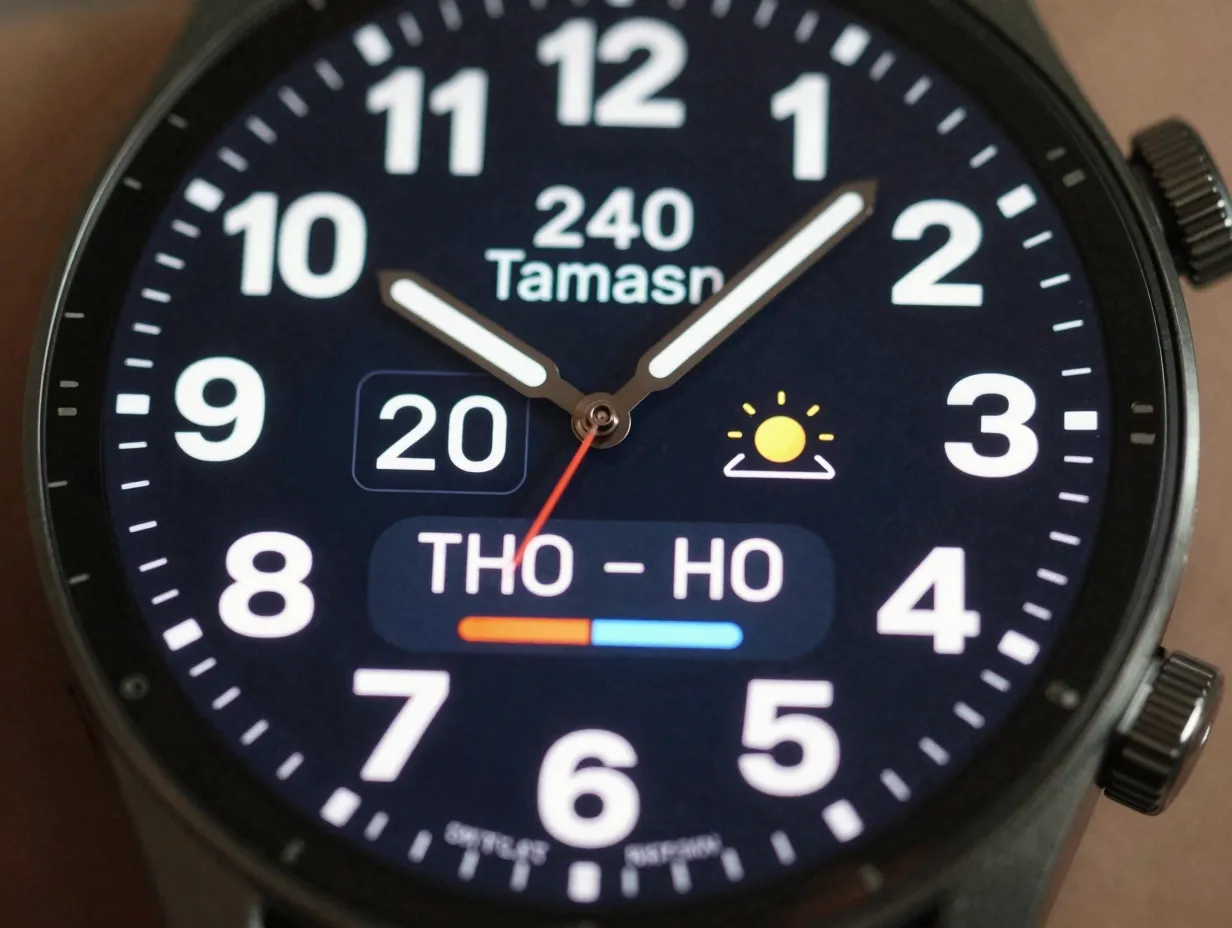
Best for: Users who want retro-mechanical aesthetics combined with serious data utility
Digitium is a third-party face available through the Galaxy Watch Faces app on Google Play and is one of the most downloaded data-heavy faces in the Samsung ecosystem [2][9]. It occupies an interesting niche: it looks like a vintage digital instrument panel, think aerospace readout or retro calculator, but underneath that aesthetic sits a genuinely functional data layout.
Data fields available:
- Time (large, segmented-display style numerals)
- Date and day of week
- Step count with progress bar
- Weather temperature and condition
- Dual battery display (watch battery and phone battery simultaneously)
- Heart rate (live or last recorded)
The dual battery display is Digitium’s most practical differentiator. Seeing both watch and phone battery at a glance eliminates the small but frequent frustration of checking each device separately. This feature alone makes Digitium a strong recommendation for heavy smartwatch users who manage multiple devices [2][14].
Visual character: The segmented-display numerals and dark background give Digitium a distinctive look that stands out from Samsung’s cleaner native designs. It suits users who want their watch to look technical and purposeful rather than minimalist.
Where to find it: Available on Google Play via the Galaxy Watch Faces app, compatible with Galaxy Watch 8, Watch 7, Watch 6 Classic, and all Wear OS 6+ devices [9].
5. Gear Watch by Pujie
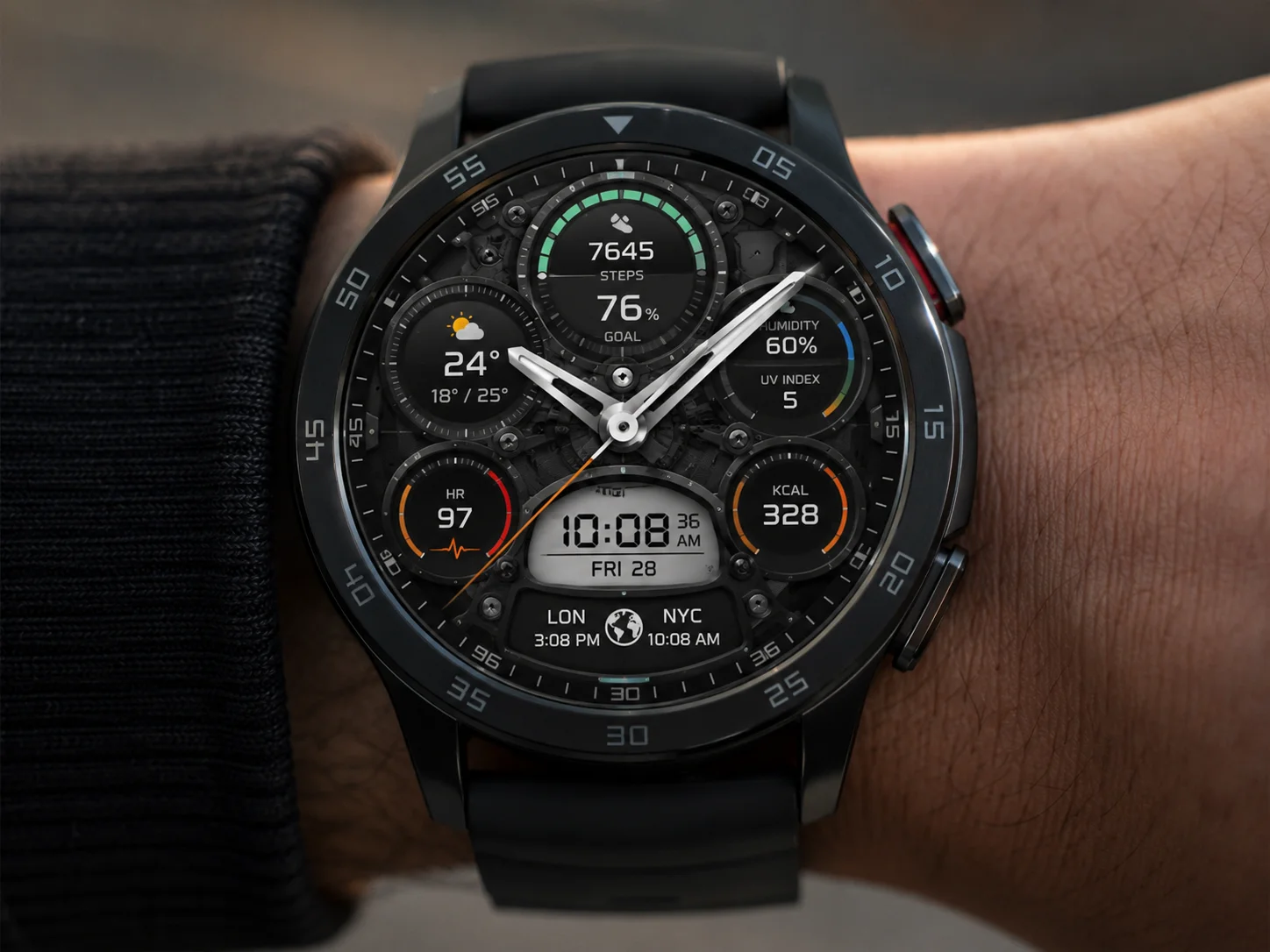
Best for: Users who want maximum information density with a mechanical-inspired visual style
Pujie’s Gear Watch is one of the most-cited third-party faces across Android Authority’s Galaxy Watch roundups [2][14]. It earns that recognition by packing more readable data onto a single dial than almost any other face in its category, while maintaining a mechanical watch aesthetic that prevents it from looking like a spreadsheet.
Key data fields:
- Analog time display (hour, minute, second hands)
- Digital time in a sub-dial
- Step count with percentage of daily goal
- Weather (temperature, humidity, UV index)
- Heart rate
- Calories burned
- Dual time zone display
Why the mechanical aesthetic matters here: Most data-heavy faces sacrifice visual appeal for information. Gear Watch avoids this by using a layered dial design, sub-dials, textured backgrounds, and metallic accents, that makes the density feel intentional rather than overwhelming. The result is a face that looks like a high-end pilot’s watch while functioning like a fitness dashboard.
Customization: Pujie’s companion app allows users to rearrange complication positions, change dial colors, switch between light and dark themes, and adjust which metrics appear in each sub-dial. The level of control is significantly deeper than most native Samsung faces [2].
Compatibility: Galaxy Watch 8, Watch 7, Watch 6, Watch Ultra, and Galaxy Watch 4 and later on Wear OS 4+.
6. Analog Star Map
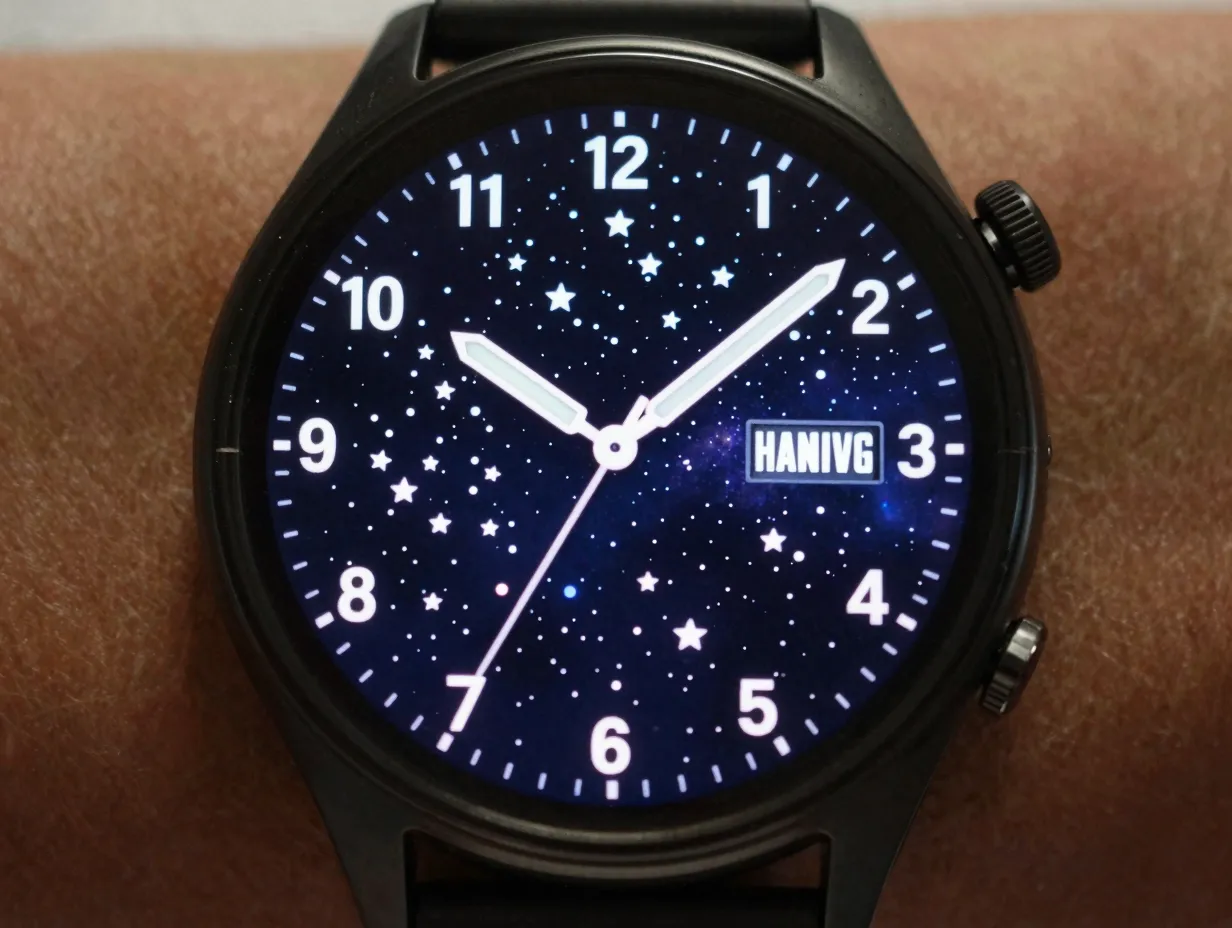
Best for: Users who prioritize visual flair and want a conversation-starting face that still delivers essential data
The Analog Star Map face, available both as a native Samsung option and through third-party variants on the Galaxy Watch Faces app, represents the “flair” end of the functionality-and-flair spectrum without abandoning utility entirely [2][9].
What it shows:
- A real-time star map as the watch face background, updated to reflect the actual night sky above the wearer’s current location
- Analog time hands overlaid on the star map
- One to two complication slots (typically heart rate and battery, or steps and weather)
- Date display in a clean sub-window
Why it qualifies as “must-have”: Android Authority’s Galaxy Watch 6 face guide specifically highlighted star-map analog faces as among the strongest examples of watches that balance bold visuals with selective utility [2]. The star map background changes throughout the day and year, meaning the face never looks exactly the same twice, a feature that makes it genuinely engaging to wear over time.
Who it suits: Wearers who attend events, meetings, or social occasions where a distinctive watch face generates interest. It also appeals to anyone who finds purely data-driven faces visually fatiguing and wants a face that feels more like wearing a piece of art than a fitness tracker.
Practical consideration: Because the star map background is graphically complex, AOD mode on this face is simplified to a clean analog display with minimal data, which helps preserve battery life [9].
How to Apply and Customize Any of These Faces
Applying any of the six faces above takes under two minutes. Digital Trends’ guide to Samsung Galaxy Watch faces outlines two reliable methods [8]:
Method 1: Directly on the watch
- Long-press the current watch face to enter face selection mode.
- Swipe left or right to browse available faces.
- Tap the “+” icon to browse the Galaxy Watch Faces store or your downloaded faces.
- Tap “Customize” to adjust complications, colors, and layout.
Method 2: Via the Galaxy Wearable app on your phone
- Open the Galaxy Wearable app on your paired Android phone.
- Tap “Watch Faces.”
- Browse, download, and apply any face directly from the app.
- Tap the pencil/edit icon to customize complications before applying.
Pro tip: When customizing complications, prioritize the data fields you check most frequently in the first 10 seconds of raising your wrist. For most users, that means battery, heart rate, and either weather or steps. Secondary fields like UV index or dual time zone can fill remaining slots without cluttering the primary reading zone [3][10].
Choosing the Right Face for Your Galaxy Watch Model
Not every face performs identically across all Galaxy Watch hardware. The table below summarizes compatibility and key considerations for 2026’s most popular models.
| Watch Face | Galaxy Watch 8 / Ultra | Galaxy Watch 7 | Galaxy Watch 6 | Galaxy Watch 4/5 |
|---|---|---|---|---|
| Info Brick | Full support | Full support | Full support | Full support |
| Info Board | Full support | Full support | Full support | Full support |
| Sleep Coach | Full support | Full support | Full support | Limited / not available |
| Digitium | Full support | Full support | Full support | Check store listing |
| Gear Watch (Pujie) | Full support | Full support | Full support | Wear OS 4+ required |
| Analog Star Map | Full support | Full support | Full support | Varies by variant |
Sources: [9][10]
Frequently Asked Questions
Are third-party Samsung watch faces safe to install?
Third-party faces downloaded through the official Google Play store and the Galaxy Watch Faces app are vetted for security and battery efficiency. The Galaxy Watch Faces app explicitly markets its faces as built with the latest Watch Face Format and tuned for AMOLED displays [9]. Faces from unknown or unverified sources outside official stores carry more risk and should be approached with caution.
Do these faces drain battery faster?
Faces with live data complications, particularly heart rate and GPS-linked weather, do draw slightly more power than static faces. However, all six faces profiled here have AOD versions designed to minimize battery impact during low-activity periods [9]. Info Brick and Info Board in particular are noted for efficient battery management relative to their data density.
Can watch faces be used across Samsung and non-Samsung Wear OS devices?
Faces built with the Watch Face Format standard are increasingly cross-compatible across Wear OS 4+ devices, including Pixel Watch models [10]. However, Samsung-native complications (like Samsung Health sleep data) will only function on Galaxy Watch hardware.
How often should the watch face be changed?
There is no single answer, but many experienced Galaxy Watch users keep a primary face for daily use and switch to a secondary face for workouts or formal occasions. The six faces in this guide cover enough variety that two or three of them together can serve most daily contexts.
Conclusion
The 6 Must-Have Samsung Watch Faces For Functionality And Flair profiled in this guide, Info Brick, Info Board, Sleep Coach, Digitium, Gear Watch by Pujie, and Analog Star Map, represent the clearest expression of what a Galaxy Watch face can be in 2026: genuinely useful, visually distinctive, and deeply customizable.
Actionable next steps:
- Open the Galaxy Wearable app today and browse the Watch Faces section. Download at least two faces from this list to compare them on your wrist before committing.
- Spend five minutes customizing the complication slots on whichever face you choose. Swap in the three data fields you check most often, this single step will make the face feel purpose-built for your routine.
- If sleep quality is a priority, install Sleep Coach and wear the Galaxy Watch consistently for one week. The coaching prompts become meaningfully personalized after five or more nights of tracked sleep.
- For users on Galaxy Watch 8, Watch Ultra, or Watch 7, explore Digitium and Gear Watch via the Galaxy Watch Faces app on Google Play. Both faces are free or low-cost and deliver third-party data density that native faces do not match.
- Revisit the face selection every 90 days. Needs change with seasons, fitness goals, and lifestyle shifts, the best watch face for January may not be the best one for July.
A Samsung Galaxy Watch is only as useful as the information it surfaces at a glance. Choosing from the 6 Must-Have Samsung Watch Faces For Functionality And Flair is the fastest, highest-impact upgrade any Galaxy Watch owner can make today.
References
[1] Watch – https://www.youtube.com/watch?v=Z5SXpGxUFMU
[2] Best Samsung Galaxy Watch 6 Faces 3355979 – https://www.androidauthority.com/best-samsung-galaxy-watch-6-faces-3355979/
[3] Best Samsung Galaxy Watch Faces 6555 – https://www.wareable.com/samsung/best-samsung-galaxy-watch-faces-6555
[6] Watch – https://www.youtube.com/watch?v=AAJ7xrKUXeA
[8] Best Samsung Galaxy Watch Faces – https://www.digitaltrends.com/wearables/best-samsung-galaxy-watch-faces/
[9] Details – https://play.google.com/store/apps/details?id=com.watchland.studio.galaxy_watch_faces&hl=en_US
[10] 10 Favorite Watch Faces Pixel Galaxy 3427976 – https://www.androidauthority.com/10-favorite-watch-faces-pixel-galaxy-3427976/