6 Pro Tips for Shooting Professional Mobile Phone Video
Smartphones now capture more video footage every single day than all professional broadcast cameras combined, yet most of that footage looks amateur. The gap between mediocre clips and broadcast-quality content has almost nothing to do with the device and everything to do with technique. Mastering the 6 Pro Tips for Shooting Professional Mobile Phone Video covered in this guide can close that gap faster than buying any new gear. Whether the goal is social content, client work, or documentary-style storytelling, these evidence-based strategies, drawn from 2026 mobile filmmaking research and professional workflows, will transform the way video is captured on a phone [1][10].
Disclosure: This post contains affiliate links. As an Amazon Associate, we earn from qualifying purchases, and at no extra cost to you.
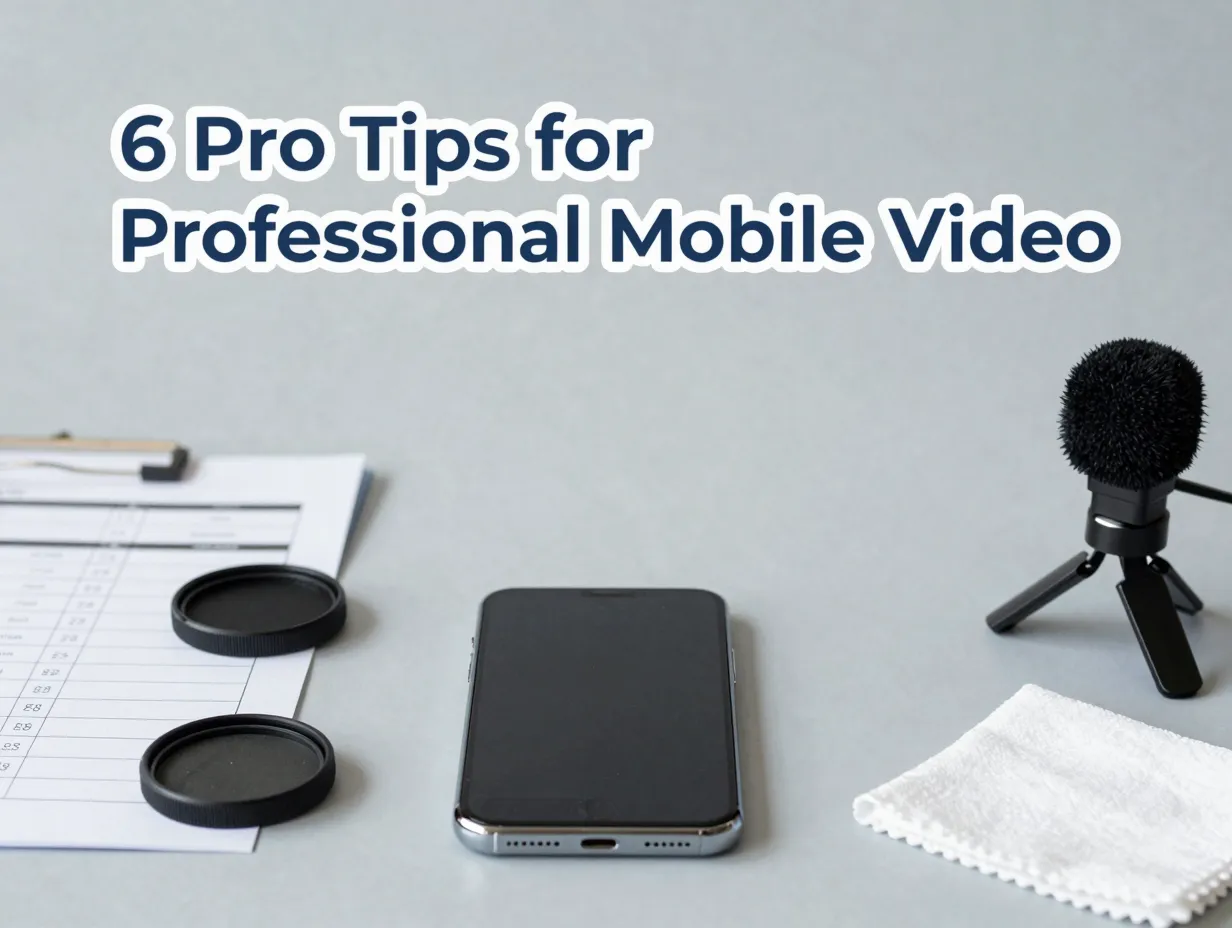
Key Takeaways
- Frame rate, shutter speed, and the 180-degree rule are the foundation of cinematic-looking mobile footage
- Stabilization technique, manual exposure controls, and deliberate composition separate professional results from casual clips
- Lighting quality matters more than camera hardware, a phone near a good window outperforms a flagship in bad light
- Audio quality is often the first thing audiences notice; an external microphone is the single highest-ROI accessory
- A repeatable pre-shoot checklist eliminates the most common technical errors before they happen
1. Master Cinematic Frame Rates and the 180-Degree Shutter Rule
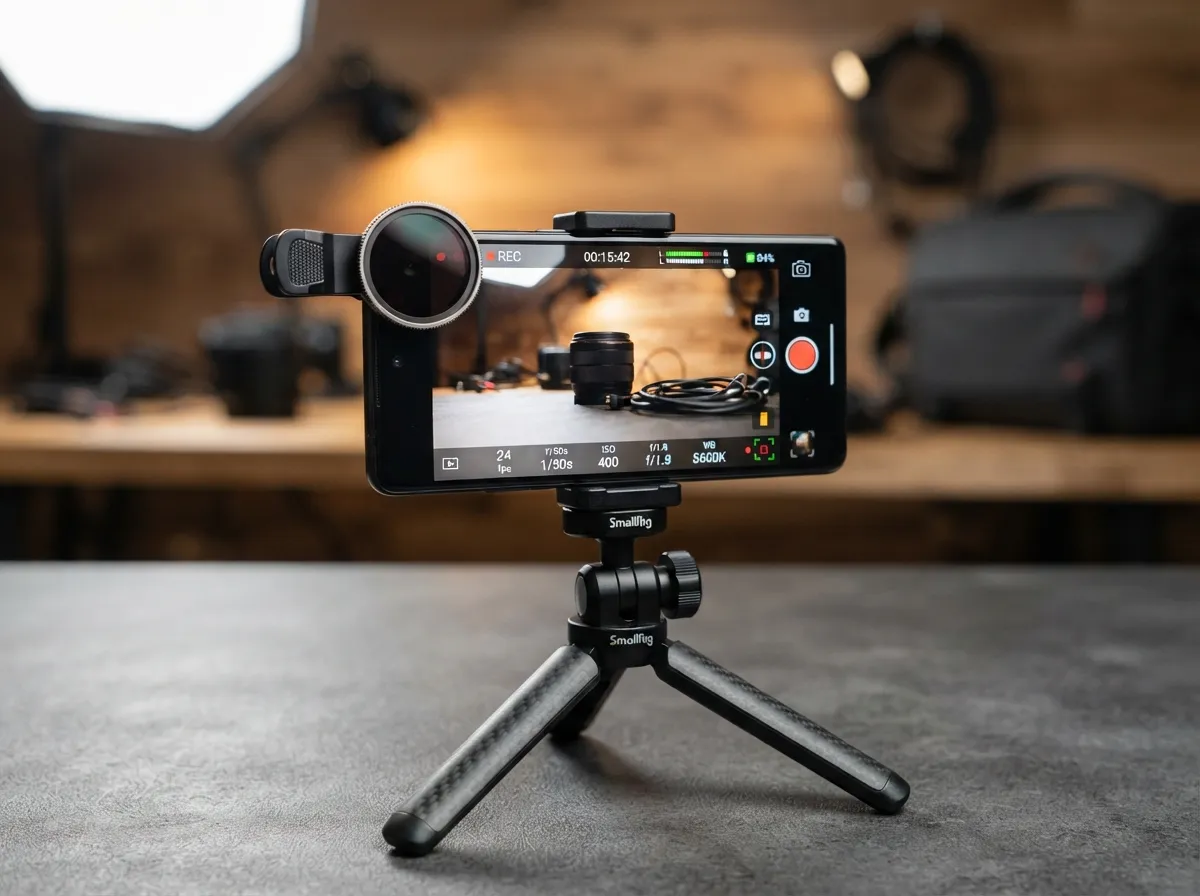
The single most overlooked setting in mobile video is shutter speed. Most people leave it on automatic and wonder why their footage looks either jittery or unnaturally sharp. The fix is the 180-degree shutter rule: set the shutter speed to double the frame rate. Shooting at 24fps? Set the shutter to 1/48s (or the closest available option, usually 1/50s). Shooting at 30fps? Use 1/60s [1][2].
This rule mimics the natural motion blur that human eyes expect from cinema. Without it, footage at 24fps looks like a soap opera or a surveillance feed. With it, movement flows naturally and the footage carries an immediate cinematic weight.
Recommended frame rate choices for 2026:
| Goal | Frame Rate | Shutter Speed |
|---|---|---|
| Cinematic storytelling | 24fps | 1/50s |
| Standard social content | 30fps | 1/60s |
| Slow-motion (2x playback) | 60fps | 1/120s |
| High slow-motion (4x playback) | 120fps | 1/240s |
One practical challenge: following the 180-degree rule in bright outdoor conditions will massively overexpose the image. The solution is a neutral density (ND) filter, a small clip-on accessory that reduces incoming light without affecting color. ND filters are inexpensive and are now considered standard kit for serious mobile filmmakers [10].
“The 180-degree shutter rule is not a stylistic preference, it is the technical foundation of footage that looks like it belongs on a screen.”, Mobile Filmmaking 2026 [1]
Choosing the right frame rate also depends on the delivery platform. Platforms that compress video aggressively (such as short-form social apps) sometimes handle 30fps better than 24fps because the additional frames give the compression algorithm more data to work with. Test both and compare the exported results before committing to a workflow.
2. Use Modern Stabilization Technology and Proper Body Technique

Shaky footage is the fastest way to signal an amateur production. In 2026, every flagship smartphone includes optical image stabilization (OIS) and sensor-shift stabilization, and most also offer in-app electronic image stabilization (EIS). These tools are powerful, but they are not a substitute for good physical technique [2].
Body technique fundamentals:
- Tuck elbows tightly against the ribs to create a human gimbal
- Bend knees slightly and move from the hips, not the shoulders
- Walk heel-to-toe in a slow, deliberate stride when moving with the camera
- Hold the phone with both hands whenever possible
- Brace against a wall, table, or doorframe for static shots
When movement is required over longer distances, a three-axis gimbal stabilizer is the most effective solution. Entry-level gimbals compatible with current flagship phones are available for well under $100 in 2026 and produce footage that is indistinguishable from professional camera rigs in many situations [2][8].
A note on EIS: Electronic image stabilization works by cropping into the sensor and using the extra pixels to smooth motion. This means EIS reduces the effective field of view and can reduce resolution. For maximum image quality on static or lightly moving shots, disable EIS and rely on OIS plus good technique. Reserve EIS for high-movement situations where some quality loss is acceptable [9].
Tripods and mini-tripods are underused in mobile filmmaking. A $20 tabletop tripod eliminates camera shake entirely for interviews, product shots, and talking-head content. The rule is simple: if the shot does not require movement, lock the camera down.
3. Lock Focus, Exposure, ISO, and White Balance Using Pro Mode
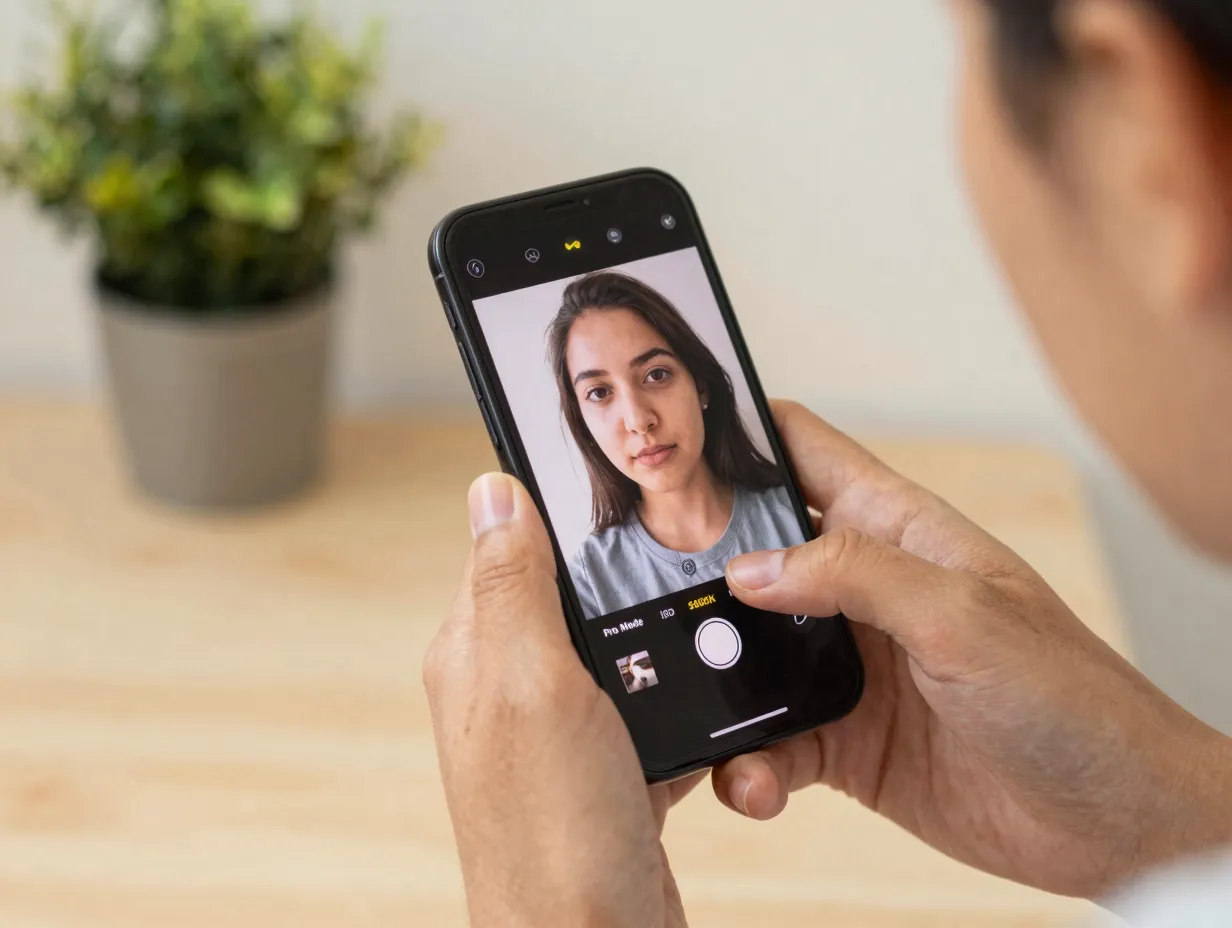
Automatic camera settings are designed for snapshots, not video. When the camera hunts for focus mid-shot or shifts exposure as a cloud passes, the result looks unprofessional regardless of how well everything else is executed. The solution is to take manual control before pressing record [1][10].
Every major smartphone platform in 2026, including the native camera apps on flagship Android devices and third-party apps like Filmic Pro, Blackmagic Camera, and Cinema P3, offers a “Pro” or “Manual” video mode with individual control over:
- Focus: Tap to set focus point, then lock it. On most devices, a long-press locks both focus and exposure simultaneously
- ISO: Keep as low as possible (ISO 50-200 in good light) to minimize digital noise
- Shutter speed: Set according to the 180-degree rule described in Tip 1
- White balance: Set a specific Kelvin value (5600K for daylight, 3200K for tungsten) rather than leaving it on auto
Leaving white balance on automatic is one of the most common mistakes in mobile video. Auto white balance can shift mid-clip, creating a color inconsistency that is difficult to correct in post-production.
The practical workflow is to set up the shot, tap to expose for the most important area of the frame (usually a face or the main subject), lock the settings, and then begin recording. This takes less than 15 seconds and eliminates an entire category of common errors [10].
Third-party camera apps worth considering in 2026:
- Blackmagic Camera, free, professional-grade controls, integrates with DaVinci Resolve
- Filmic Pro, industry standard for mobile cinematography, advanced log profiles
- ProCamera, strong manual controls, clean interface, good for run-and-gun work
4. Compose with Grids, Multiple Angles, and Generous B-Roll
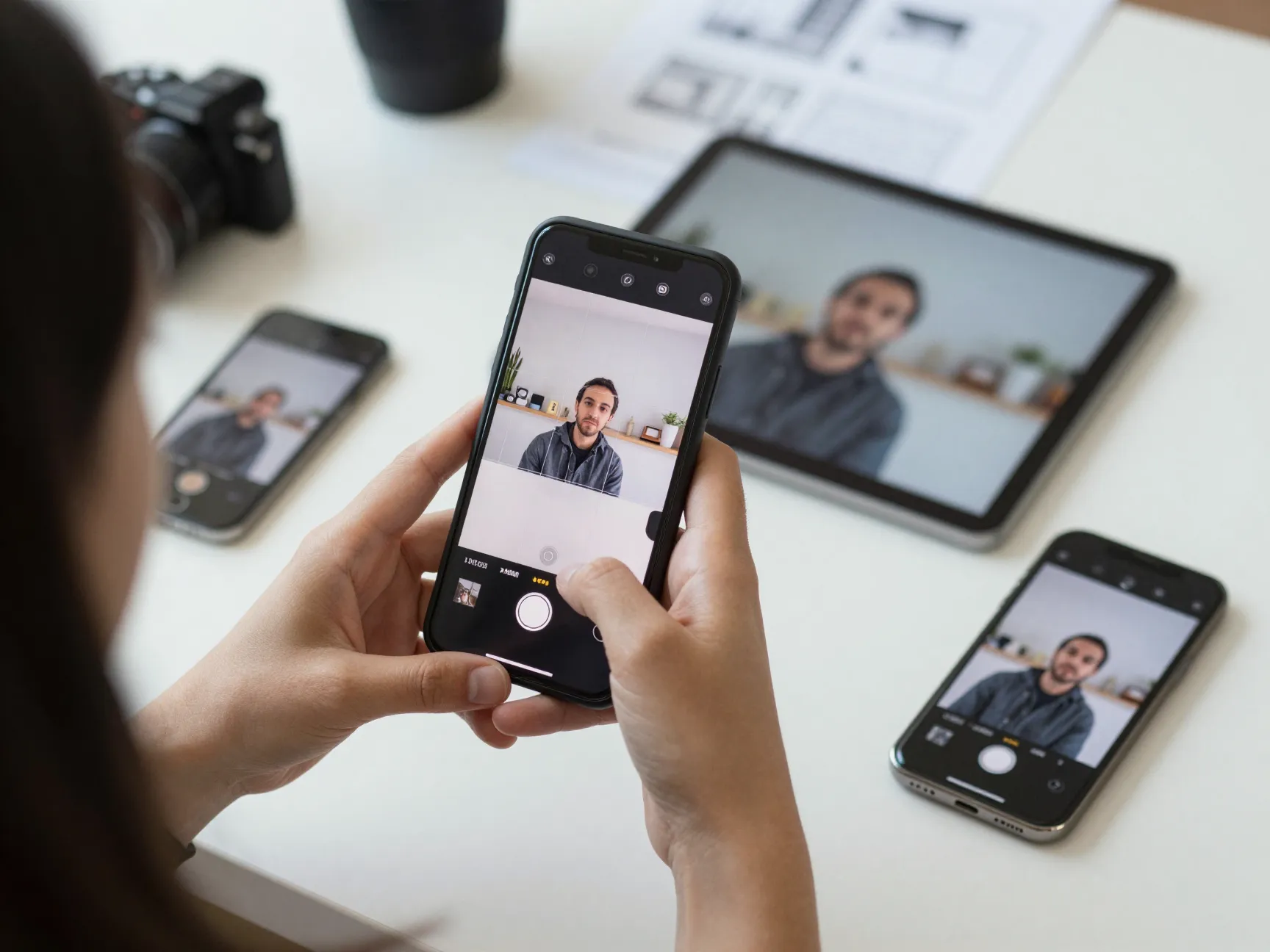
Strong composition is what separates footage that holds attention from footage that viewers scroll past. The rule of thirds grid, available in every smartphone camera app, divides the frame into nine equal sections. Placing the main subject at one of the four intersection points rather than dead center creates a more dynamic and visually engaging image [8][9].
Composition principles for professional mobile video:
- Enable the rule of thirds grid in camera settings and use it on every shot
- Vary shot types: establish the scene with a wide shot, then cut to medium and close-up angles
- Leave headroom above subjects and lead room in the direction of movement
- Use natural leading lines (roads, fences, architecture) to draw the eye toward the subject
- Shoot more B-roll than seems necessary, experienced editors consistently report that B-roll is the most undershot element in amateur productions
B-roll is not optional. In a professional workflow, B-roll footage covers edit points, illustrates spoken content, and gives the editor flexibility. A good rule of thumb is to capture at least three to five B-roll clips for every minute of final edited content. These clips should vary in shot size, angle, and movement [1][8].
Shot variety checklist for a typical 2026 mobile video shoot:
| Shot Type | Purpose |
|---|---|
| Wide establishing shot | Sets location and context |
| Medium shot (waist up) | Main interview or action footage |
| Close-up (face or hands) | Emotional connection, detail |
| Extreme close-up (product, text) | Emphasis, specificity |
| B-roll cutaways | Edit coverage, visual interest |
| Over-the-shoulder shot | Perspective, depth |
Moving the camera deliberately, slow pans, gentle pushes toward the subject, adds production value when the movement has a clear purpose. Random or unmotivated movement, however, reads as instability rather than style [2].
5. Prioritize Lighting: Work with Natural Light and Control Your Environment
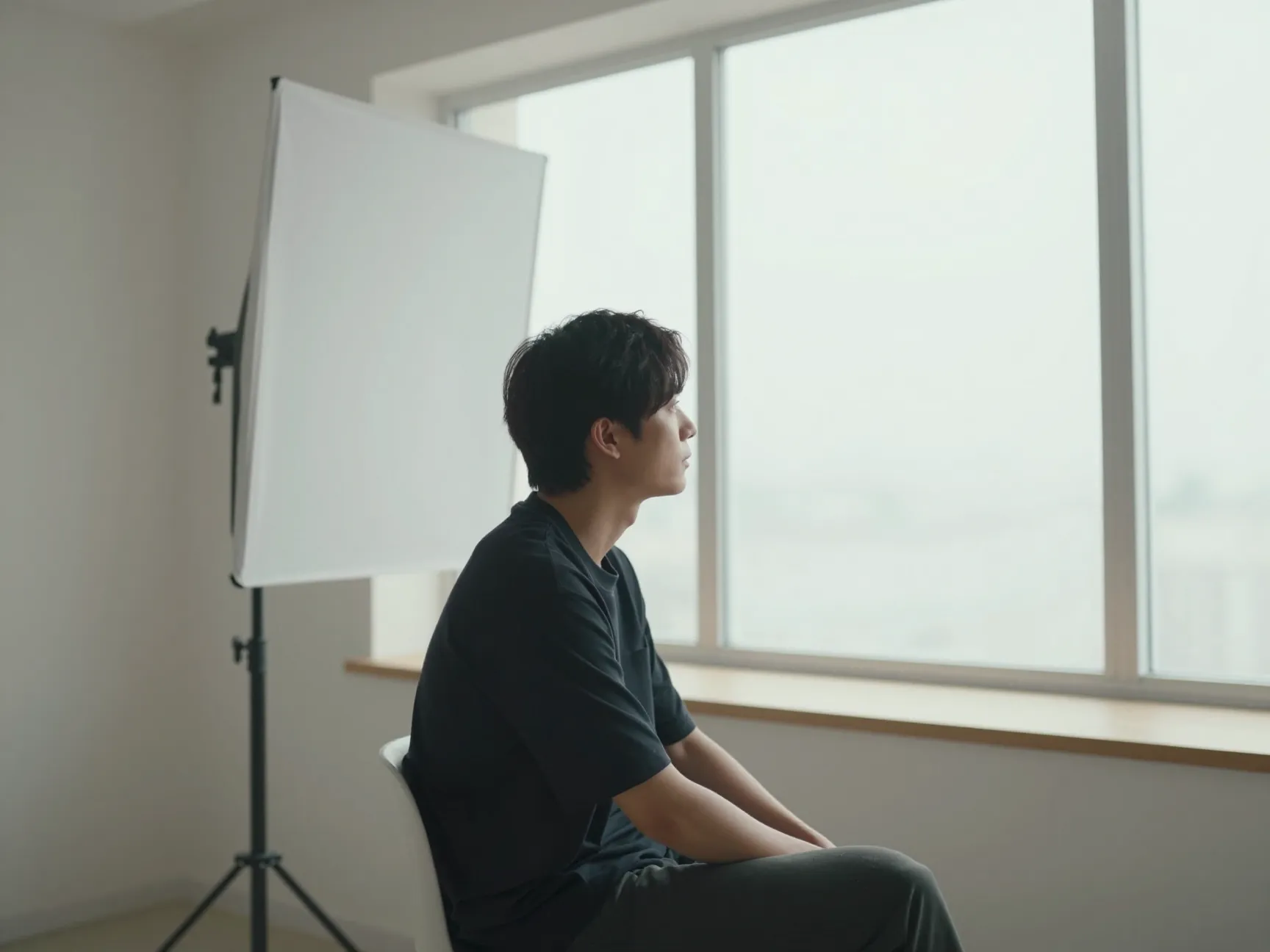
No amount of post-production processing can fully recover footage shot in poor light. In 2026, even the most advanced computational photography cannot manufacture detail that was never captured on the sensor. Lighting is not a secondary concern, it is the primary determinant of whether footage looks professional or not [1][5].
The most accessible professional light source is a large window. Positioning the subject so that a window provides soft, directional side-lighting creates a flattering, cinematic look at zero cost. Key principles for window light:
- Use a large window for soft, diffused light rather than a small window for harsh, directional light
- Position the subject at a 45-degree angle to the window for the most flattering result
- Avoid shooting with a window directly behind the subject, this creates silhouette and forces the camera to underexpose the face
- Use a white foam board or reflector on the opposite side of the subject to fill in shadows
Artificial lighting options for 2026 mobile video shoots:
- LED panel lights (bi-color, dimmable) are the most versatile option for indoor shooting
- Ring lights are popular for talking-head content but produce flat, less cinematic lighting
- Practical lights (lamps already present in the environment) can add warmth and depth when used intentionally
Avoid shooting in mixed lighting, for example, a room where one side is lit by daylight and the other by tungsten bulbs. Mixed color temperatures create an uneven, unprofessional look that is difficult to correct in color grading [10].
The fastest upgrade available to any mobile filmmaker in 2026 is not a new phone, it is better control over the light hitting the subject.
6. Apply the 6 Pro Tips for Shooting Professional Mobile Phone Video Through Smart Pre-Shoot Preparation
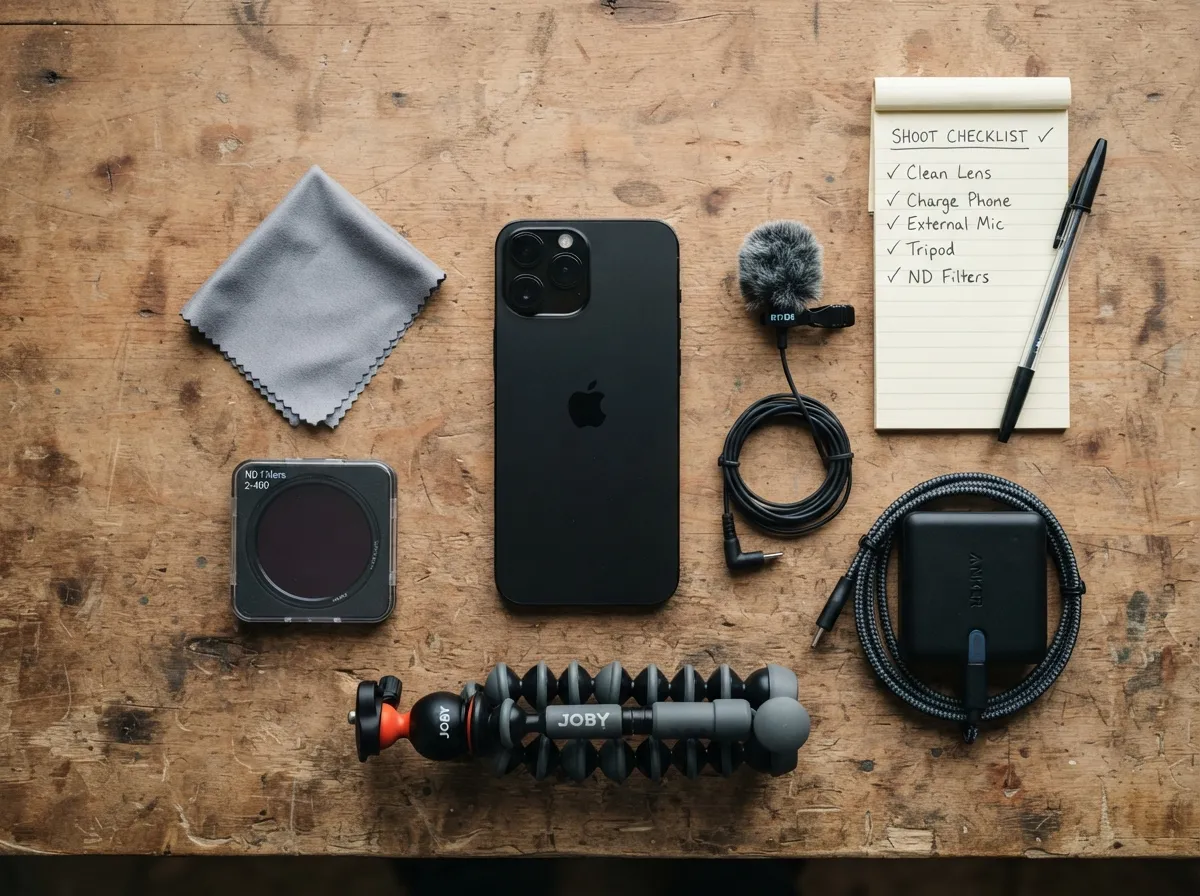
The most technically skilled cinematographer in the world cannot recover footage ruined by a smudged lens, a full storage card, or wind noise destroying an audio track. Professional results require professional preparation, and that preparation happens before the camera rolls [9][10].
The essential pre-shoot checklist:
- Clean the lens with a microfiber cloth, fingerprints and smudges reduce sharpness and create lens flare
- Charge the phone to 100% and carry a portable battery pack
- Clear storage or confirm available space (4K footage fills storage rapidly)
- Enable airplane mode or Do Not Disturb to prevent notification interruptions mid-take
- Disable HDR video mode, HDR can look oversaturated on non-HDR displays and limits color grading flexibility
- Avoid digital zoom, move the camera physically closer to the subject instead, or switch to the telephoto lens if available
- Set the phone to the highest quality non-compressed format available (ProRes on supported iPhones, 10-bit LOG on supported Android flagships)
Audio preparation deserves equal attention. The built-in microphone on every smartphone is a liability in any environment with ambient noise, wind, or distance from the subject. An external lavalier microphone connected via USB-C or Lightning, or a compact shotgun microphone mounted on the phone, dramatically improves audio quality [8][9].
Audio quality hierarchy for mobile video in 2026:
- Dedicated wireless lavalier system (highest quality, most flexible)
- Wired lavalier microphone connected directly to phone
- Compact shotgun microphone mounted on phone or small rig
- Built-in phone microphone in a quiet, controlled environment (acceptable minimum)
- Built-in phone microphone outdoors or in noisy environments (avoid)
Advanced format considerations: ProRes recording on iPhone 15 Pro and later, and 10-bit LOG profiles on flagship Android devices, capture significantly more dynamic range and color information than standard H.264 or H.265 footage. This additional data gives color grading software far more to work with in post-production. The trade-off is file size, ProRes files can be 10 to 20 times larger than compressed equivalents, so external SSD storage or high-speed SD card adapters are recommended for longer shoots [1][10].
One final element that separates professional mobile video from casual content is the discipline of holding shots longer than feels comfortable. Editors need footage with a clean beginning, middle, and end. Starting the recording two to three seconds before the action begins and continuing two to three seconds after it ends gives the edit room to breathe and makes the final cut significantly smoother [2].
Building a Repeatable Workflow That Consistently Delivers the 6 Pro Tips for Shooting Professional Mobile Phone Video
Individual tips produce individual improvements. A repeatable workflow produces consistent professional results across every shoot. The goal is to build a pre-shoot, during-shoot, and post-shoot routine that becomes automatic [1][10].
A practical 2026 mobile video workflow:
Before the shoot:
- Scout the location and identify the best light source
- Plan shot types needed (wide, medium, close-up, B-roll list)
- Charge all devices and clear storage
- Pack accessories: ND filters, external mic, mini-tripod, reflector
During the shoot:
- Clean lens before first shot
- Enable Pro/Manual mode and set frame rate, shutter, ISO, white balance
- Lock focus and exposure before each take
- Shoot each angle at least twice
- Capture more B-roll than the shot list requires
- Hold each shot for three to five seconds after action ends
After the shoot:
- Back up footage immediately to a second location
- Log clips and identify best takes before editing begins
- Apply consistent color grading using LOG footage if captured
This workflow is not complicated. It takes roughly the same total time as an unplanned shoot, but the output is dramatically more consistent and professional [10].
Looking ahead to late 2026 and beyond: AI-assisted stabilization, real-time LOG-to-Rec.709 conversion previews, and computational depth-of-field improvements are all advancing rapidly. However, the fundamentals covered in this guide, frame rate discipline, manual exposure control, lighting awareness, audio quality, and deliberate composition, will remain the foundation of professional mobile video regardless of how the hardware evolves [1].
Conclusion
The distance between amateur mobile footage and professional-quality video is not measured in megapixels or processor generations. It is measured in technique, preparation, and intentional decision-making at every stage of the shoot. The 6 Pro Tips for Shooting Professional Mobile Phone Video outlined here, from the 180-degree shutter rule and manual exposure control to lighting strategy, audio investment, and a repeatable pre-shoot checklist, give any filmmaker the tools to produce results that stand alongside content shot on cameras costing many times more.
Actionable next steps:
- Open the phone’s camera app today and locate the Pro or Manual video mode, spend 10 minutes learning the controls before the next shoot
- Purchase one external lavalier microphone compatible with the phone’s connector, this single investment will produce the most noticeable immediate improvement in perceived production quality
- Build a personal pre-shoot checklist based on the workflow above and save it as a note on the phone so it is always accessible at the start of a shoot
- On the next shoot, capture twice as much B-roll as seems necessary and compare the edit flexibility to previous projects
- Shoot one scene using only window light, following the 45-degree positioning principle, and compare the result to footage shot under overhead room lighting
Professional mobile video is a skill, and like all skills it compounds with deliberate practice. Start with one tip, master it, then add the next.
References
[1] Mobile Filmmaking 2026 – https://pixflow.net/blog/mobile-filmmaking-2026/
[2] How To Record Smooth Smartphone Video In 2026 – https://mobileos.it/en/2026/07/how-to-record-smooth-smartphone-video-in-2026/
[3] Watch – https://www.youtube.com/watch?v=hW8jca2ZZyQ
[4] Ebook – https://www.cinematicmemories.us/ebook
[5] Watch – https://www.youtube.com/watch?v=xTCUkcUxOws
[6] Watch – https://www.youtube.com/watch?v=NtHjJeqdb-Y
[7] Watch – https://www.youtube.com/watch?v=_mSzLTO-ows
[8] Best Smartphone Video – https://ivygroup.com/blog/best-smartphone-video/
[9] Phone Video – https://cyberry.com.au/know-how/phone-video
[10] How To Make Professional Videos Smartphone 2026 – https://techtexts.com/how-to-make-professional-videos-smartphone-2026/