6 Viral “Don’t Touch My Phone” Video Ideas and How to Make Them
A single lock-screen prank video posted to Snapchat Spotlight in mid-2026 can rack up millions of views within 48 hours, not because the concept is complicated, but because it taps into something universally relatable: the feeling that your phone is deeply personal territory. The 6 viral “Don’t Touch My Phone” video ideas and how to make them explored in this guide are built on that exact emotional trigger, combining simple phone hacks with high-energy reactions to create content that short-form audiences cannot scroll past.
Disclosure: This post contains affiliate links. As an Amazon Associate, we earn from qualifying purchases, and at no extra cost to you.
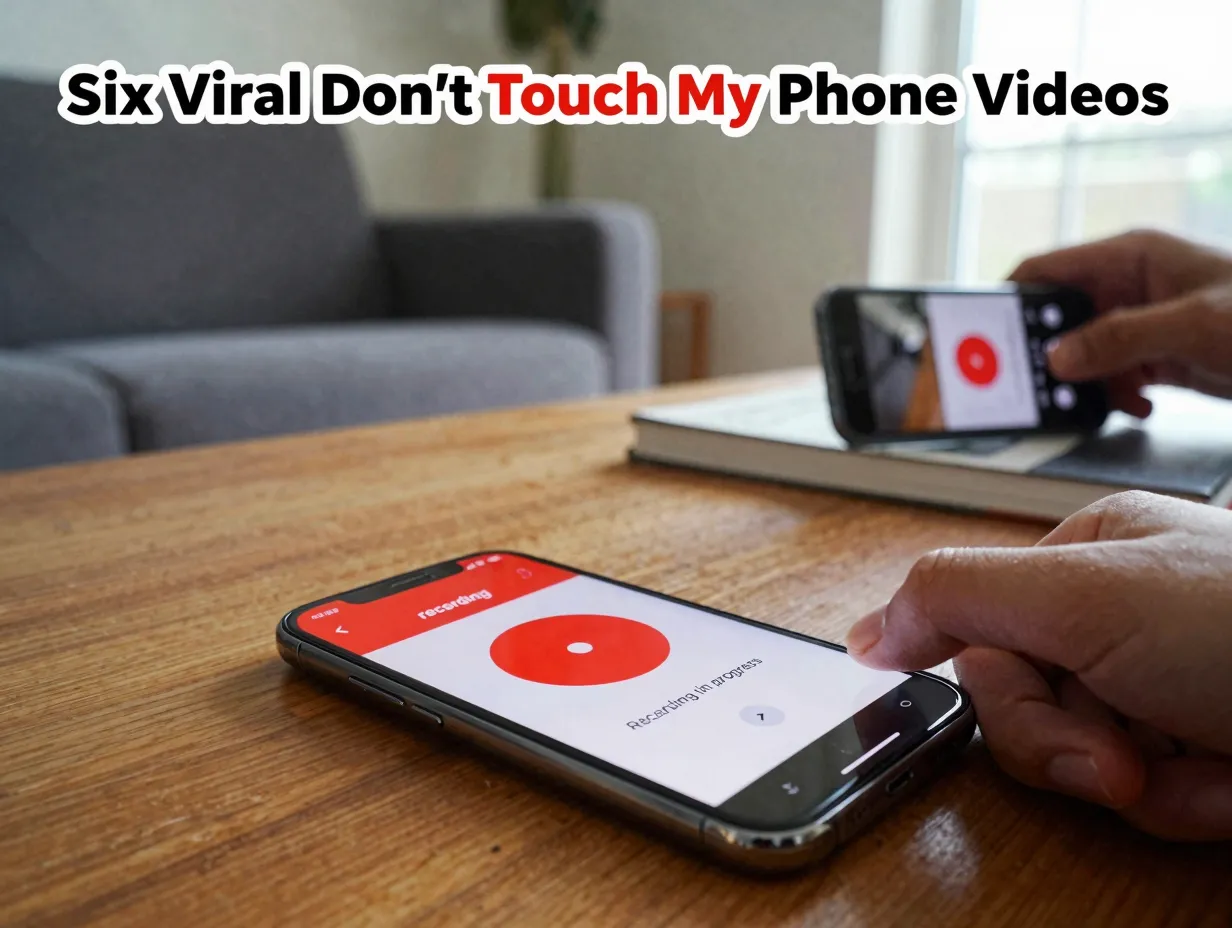
Whether the goal is to grow a Snapchat channel, build a YouTube audience, or simply create a shareable clip, these formats are proven, repeatable, and require nothing more than a smartphone and a willing (or unsuspecting) co-star.
Key Takeaways
- Lock-screen-based pranks and “don’t touch my phone” warnings remain among the most-viewed short-form video formats on Snapchat and YouTube in 2026.
- The most viral videos front-load the setup (showing the lock screen trick in the first few seconds) and then cut quickly to reaction footage for maximum retention.
- Six distinct formats cover the full spectrum: fake recording screens, jealousy traps, glitch illusions, Do Not Disturb narratives, funny wallpaper warnings, and cracked-screen illusions.
- Each idea requires minimal equipment, a smartphone, a secondary filming device, and a clear narrative arc.
- Emotional triggers (shock, jealousy, humor, confusion) are the real engine behind virality, not production quality.
Why “Don’t Touch My Phone” Content Keeps Going Viral
Before diving into the specific ideas, it helps to understand why this content category has such staying power. Snapchat Spotlight topic pages dedicated to iPhone Screen Prank Videos and Lock Screen Prank Videos confirm that audience appetite for this format remains strong well into mid-2026 [2][3]. The reasons are structural.
First, the premise is instantly understood. Everyone has a phone, and everyone has felt territorial about it. That shared experience means zero setup time is needed to get a viewer invested.
Second, the format is naturally short. The entire arc, phone is left out, someone picks it up, they see the warning or prank screen, they react, fits comfortably inside 30 to 60 seconds. That length is ideal for Snapchat Spotlight, YouTube Shorts, and similar platforms.
Third, the emotional payoff is immediate. Shock, embarrassment, jealousy, and laughter are all high-arousal emotions that drive shares and replays.
“The visual threat of recording acts as a playful deterrent while still being easy for creators to replicate.”, Snapchat Spotlight, iPhone Screen Prank Videos [2]
The most successful videos in this space follow a consistent narrative arc: show the setup clearly in the first few seconds, leave the phone in a visible location, and then deliver a fast-cut reaction montage at the end [2][3]. Keeping that structure in mind will make every idea below more effective.
The 6 Viral “Don’t Touch My Phone” Video Ideas and How to Make Them
The following six ideas range from simple one-person setups to multi-person reaction pranks. Each includes a concept overview, the emotional hook it uses, and a practical step-by-step production guide.
1. The Fake Recording Lock Screen
The Concept
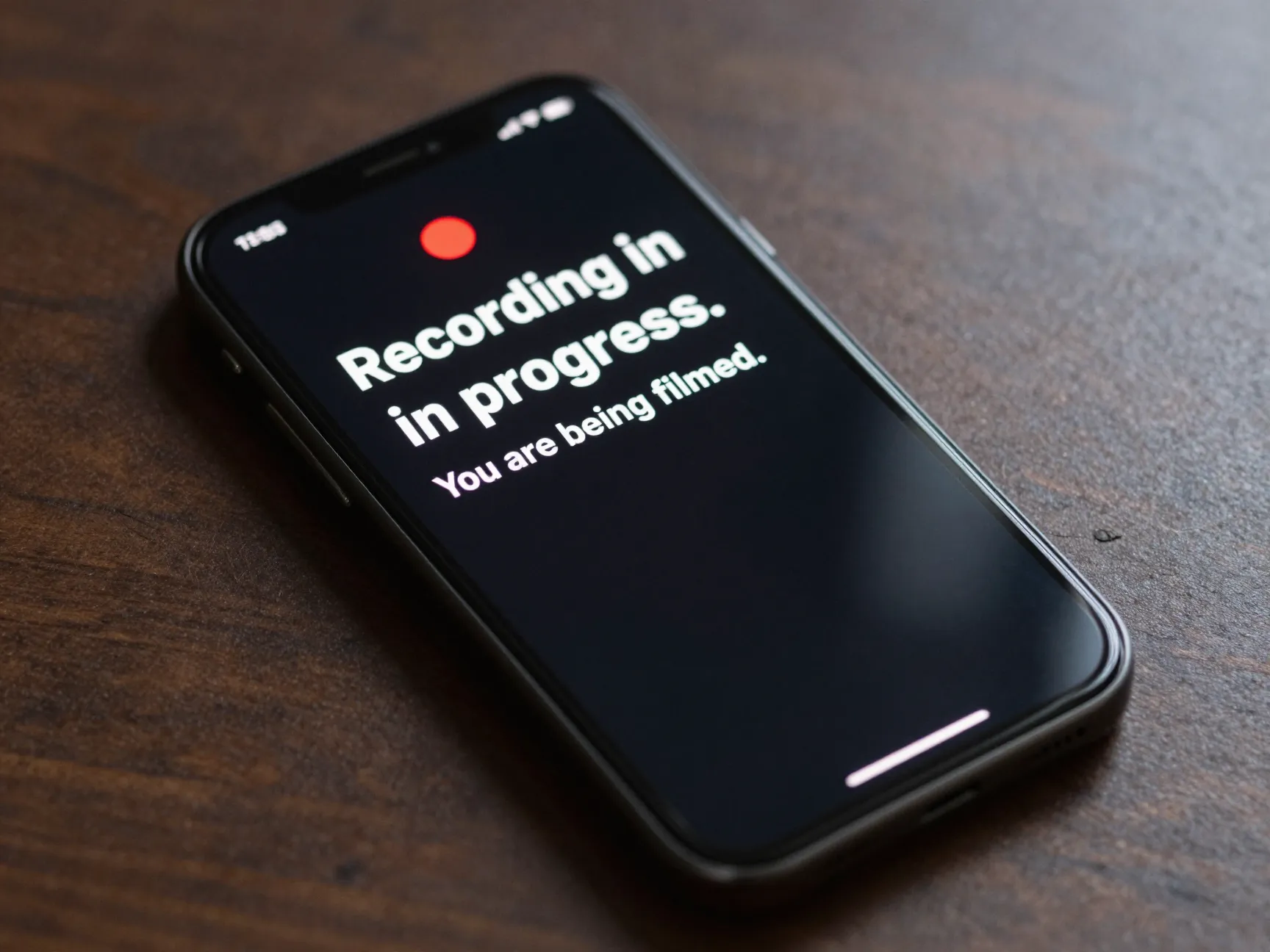
This is currently one of the most replicated formats on Snapchat Spotlight [2]. The lock screen is customized to look like the phone is actively recording video, complete with a red recording dot, a fake timestamp, and text that reads something like “Recording in progress. You are being filmed.” Anyone who picks up the phone believes they have been caught on camera.
Why It Works
The emotional hook is mild panic. The viewer watching the video gets to enjoy the target’s split-second of genuine alarm before the joke is revealed. Because the prank is harmless and the reveal is quick, it feels playful rather than mean-spirited, a balance that keeps comment sections positive and share rates high [2].
How to Make It
- Create a custom wallpaper using a free design tool (Canva works well). Add a red circle in the top corner to simulate a recording indicator, a fake time counter, and bold text warning that the device is recording.
- Set this image as the lock screen wallpaper.
- Place the phone face-up on a table, desk, or couch in a natural-looking position.
- Use a second phone or a small tripod-mounted camera to film the scene from a discreet angle.
- Leave the room or pretend to be distracted, and let a friend, partner, or family member discover the phone.
- Capture the reaction. Edit the clip to show the lock screen clearly in the first three seconds, then cut to the reaction.
Pro Tip: Add a text overlay in post-production that reads “They thought they were being recorded…” just before the reaction clip. This narrative framing increases watch time because it tells viewers exactly what to anticipate.
2. The Jealousy Lock Screen Trap
The Concept
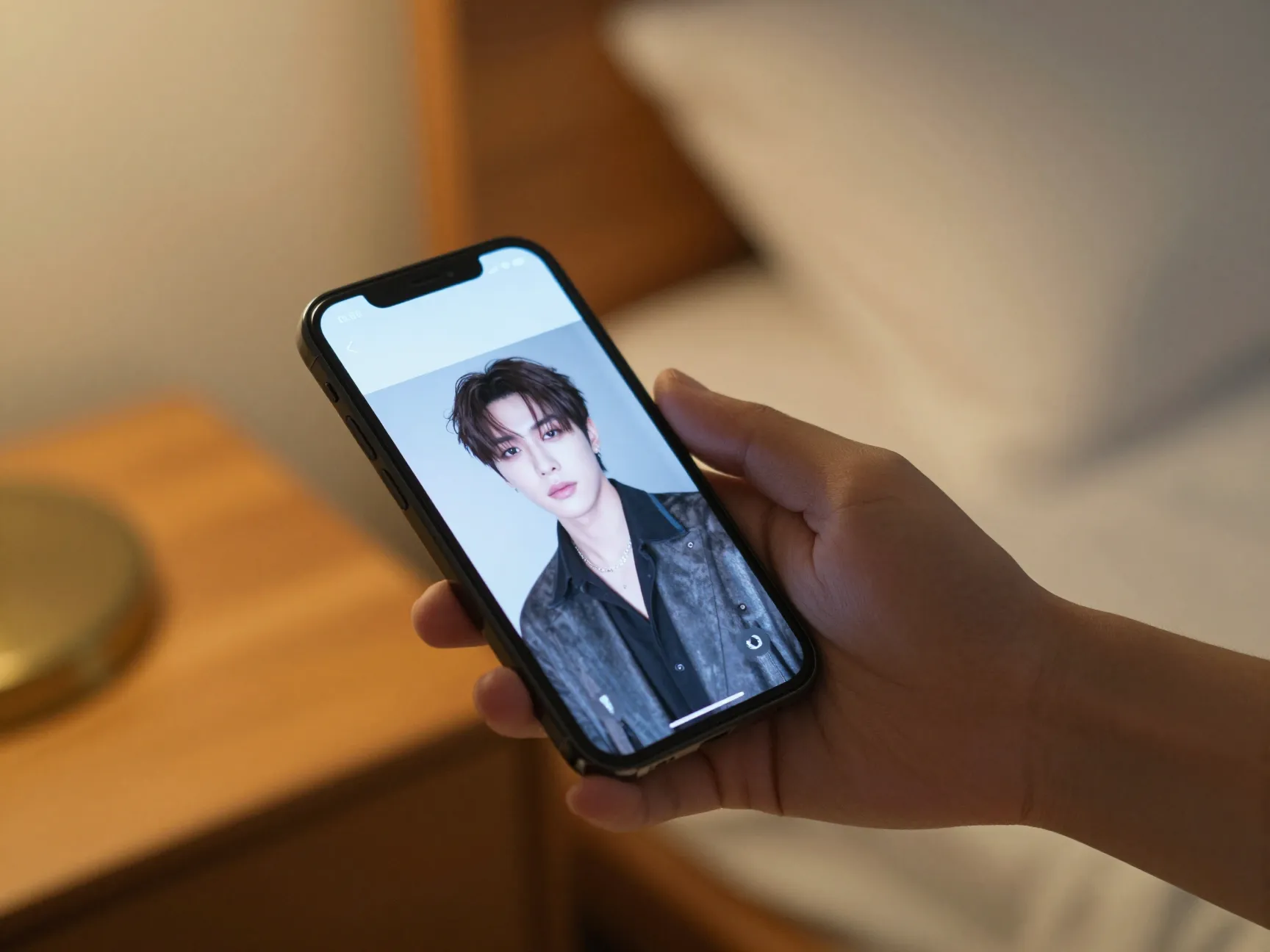
This is one of the longest-running sub-genres in phone prank content, and it continues to generate strong view counts on YouTube in 2026 [1][4]. The creator secretly changes their lock screen to a photo of another person, a celebrity, a friend, or a fictional “mystery contact”, and then leaves the phone where their partner will find it. The confrontation is the content.
Why It Works
Jealousy is one of the highest-arousal emotions, which makes it exceptionally shareable. Viewers either relate to the reaction or find it entertaining from a safe distance. The format also has built-in narrative tension: will the partner react calmly or dramatically? That uncertainty keeps viewers watching until the end [1][4].
Popular variations include putting a partner’s sibling, a well-known celebrity, or even a fictional AI-generated person as the lock screen image [1][4].
How to Make It
- Choose a photo that will generate a noticeable but not genuinely hurtful reaction. A celebrity crush or a clearly staged “mystery person” photo works well.
- Set the photo as the lock screen wallpaper.
- Position a secondary camera (phone on a shelf, small tripod behind an object) to capture the moment of discovery without being obvious.
- Leave the phone in a location where the partner typically picks it up, a kitchen counter, a bedside table, or a couch cushion.
- Film the discovery and the conversation that follows.
- Edit to show the lock screen in the opening shot, then cut to the reaction, and end with the reveal that it was a prank.
Important Note: Always confirm with participants after filming that they are comfortable with the content being posted. Genuine distress should never be published without consent.
3. The “You’re Being Watched” Do Not Disturb Narrative
The Concept
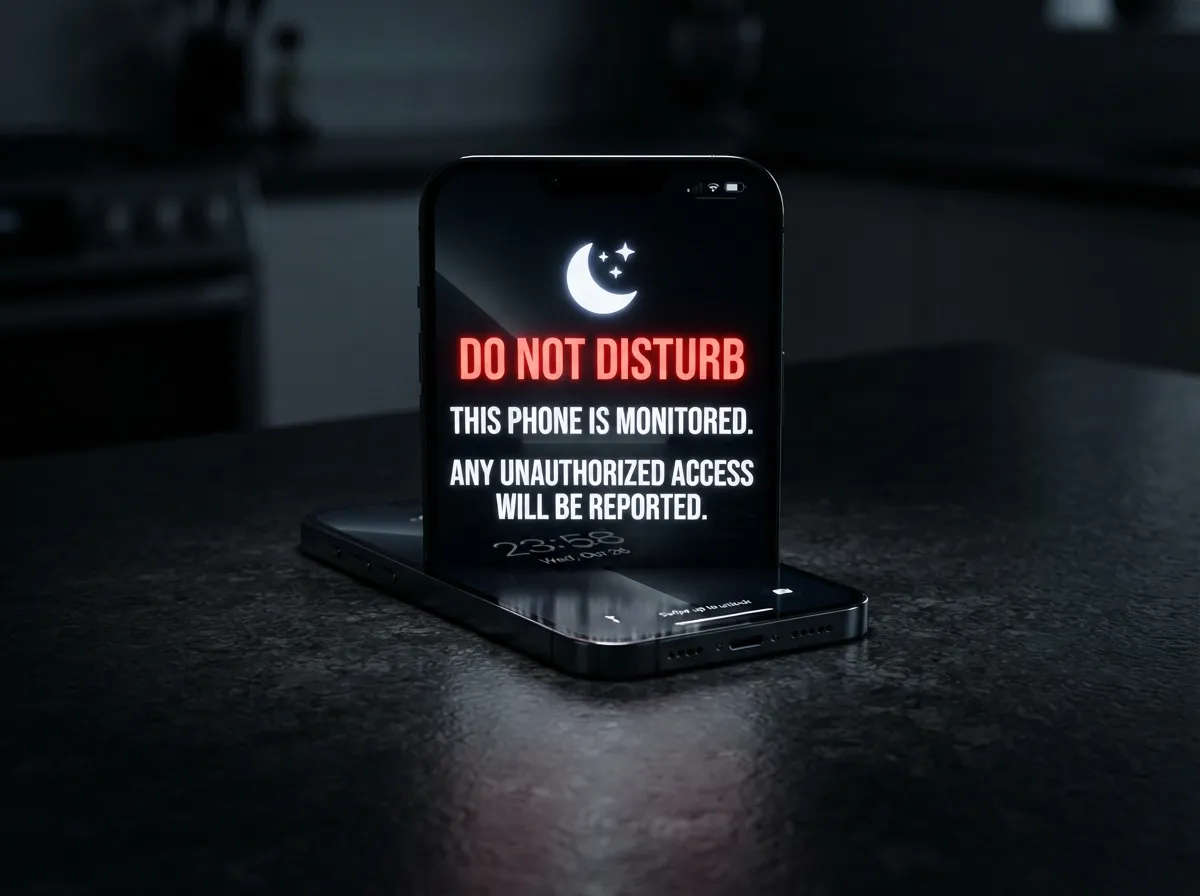
This idea draws inspiration from a viral Snapchat short in which a creator uses the Do Not Disturb feature as the centerpiece of a comedic or suspenseful narrative [7]. For the “Don’t Touch My Phone” version, the lock screen displays a DND message paired with an ominous warning: “Do Not Disturb. This phone is monitored. Any unauthorized access will be reported.”
Why It Works
The combination of an official-looking system notification and a threatening message creates a moment of genuine hesitation in anyone who picks up the phone [7]. It is funny precisely because it mimics the tone of real security warnings while being completely fake. The format also works well as a solo video where the creator explains the setup directly to the camera, building anticipation before showing the reaction.
How to Make It
- Enable Do Not Disturb mode on the phone.
- Create a custom lock screen wallpaper that incorporates the DND icon alongside bold text warning of monitoring or reporting.
- For added effect, add a fake “Security System Active” badge graphic to the wallpaper design.
- Leave the phone in a shared space and film the reaction from a hidden angle.
- Alternatively, film a “tutorial” style intro where the creator walks through the setup, then cuts to a reaction montage at the end, a structure that performs well on both Snapchat and YouTube [7].
4. The Funny Personalized Warning Wallpaper
The Concept
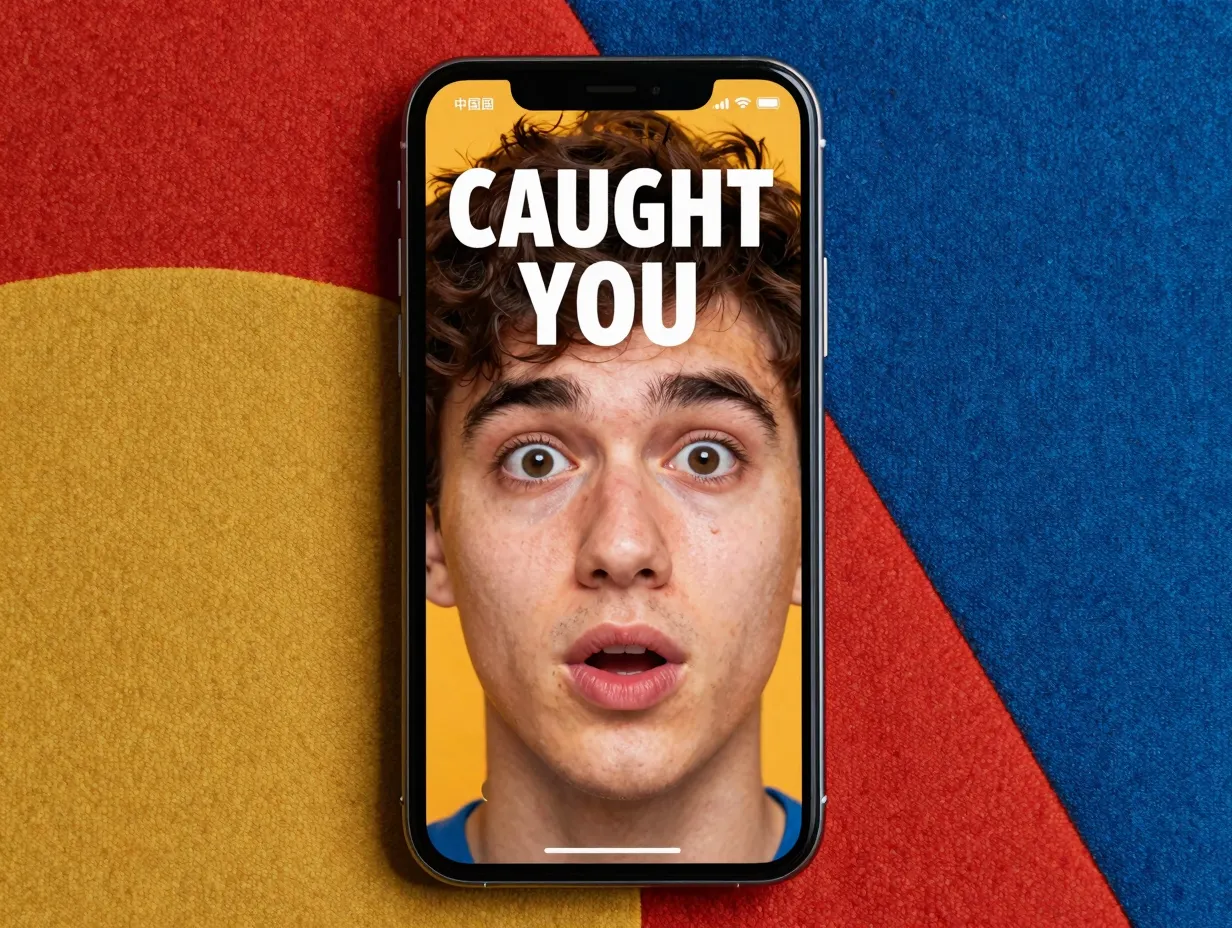
Snapchat Spotlight’s Funny Wallpaper Videos topic highlights a trend of creators using bold, comedic, highly personalized lock-screen wallpapers as content in their own right [12]. For the “Don’t Touch My Phone” format, this means designing a wallpaper that is so visually striking, featuring an exaggerated photo of the owner, a meme reference, or an over-the-top warning message, that anyone who sees it immediately laughs or freezes.
Why It Works
This idea works as both a prank and a standalone aesthetic video. The wallpaper itself is the punchline. Viewers enjoy seeing the creative designs, and the reaction from whoever picks up the phone is a bonus rather than the entire payoff. This dual appeal gives the video more rewatch value [12].
Sample Wallpaper Text Ideas:
| Wallpaper Style | Example Text |
|---|---|
| Dramatic Warning | “STOP. You have been identified. Authorities notified.” |
| Comedic Self-Portrait | Giant photo of the owner’s face with “CAUGHT YOU” in bold |
| Meme Reference | A well-known meme format adapted to say “You touched it. You bought it.” |
| Fake System Alert | “SECURITY BREACH DETECTED. Stand by.” |
How to Make It
- Design the wallpaper using Canva, Adobe Express, or a similar tool. Use high-contrast colors (red, black, white) for maximum visual impact.
- Include a large, clear image or bold text as the focal point.
- Set it as the lock screen.
- Film the reaction of the first person who picks up the phone, genuine first reactions are always the most entertaining.
- Post the wallpaper design as a downloadable link in the video description to drive engagement and saves.
5. The Glitch Home Screen Illusion
The Concept
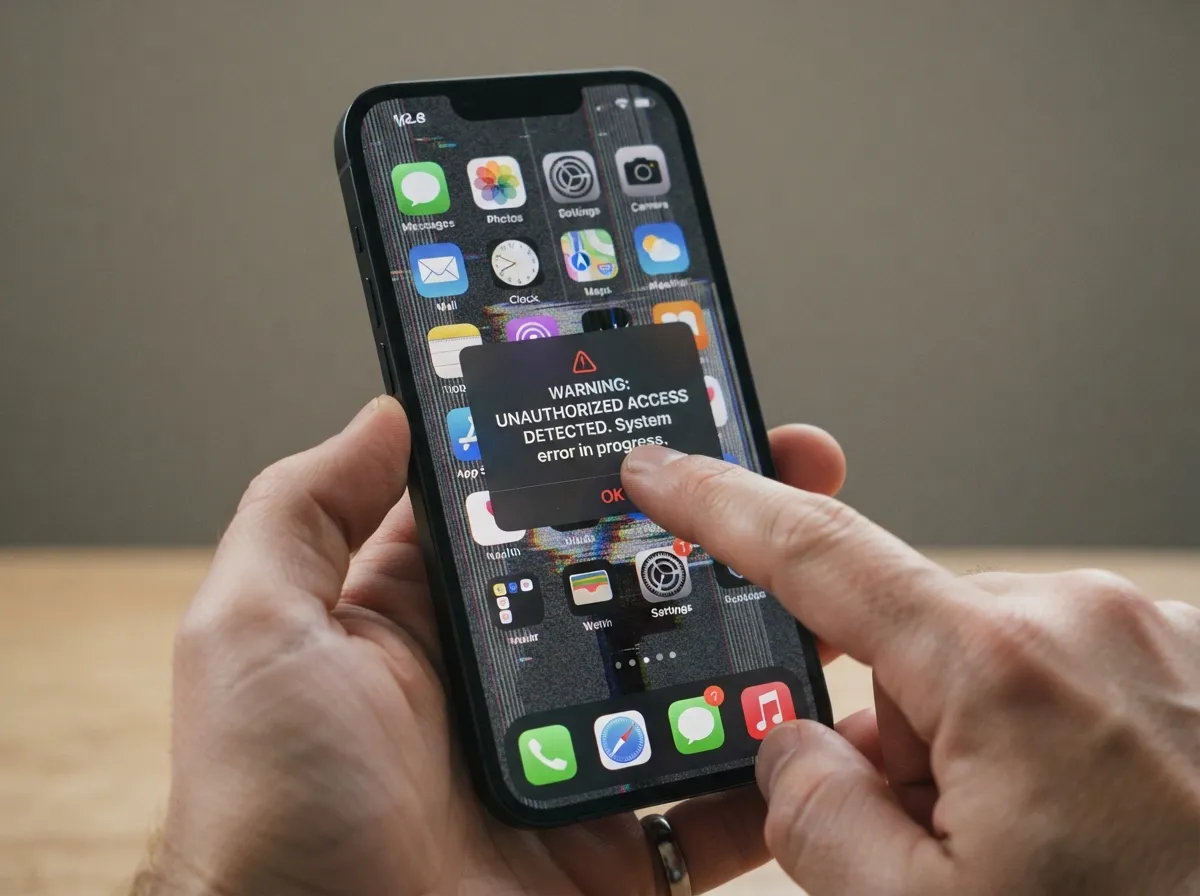
Technical tutorials on YouTube demonstrate how to create convincing glitch effects on a phone’s home screen using combinations of screenshot tricks, accessibility settings, and AirDrop actions [8]. For the “Don’t Touch My Phone” format, the setup involves leaving a phone that appears to be glitching or frozen, with a lock screen message that says “Warning: Unauthorized access detected. System error in progress.”
When someone picks up the phone and tries to interact with it, the pre-set glitch effects make it seem like their touch is causing the malfunction, creating the illusion that they have genuinely broken something [8].
Why It Works
The fear of having broken someone else’s phone is a powerful emotional hook. The target’s immediate guilt and panic make for highly entertaining reaction footage. The reveal, that the glitch was entirely fake, produces a strong comedic release [8].
How to Make It
- Take a screenshot of the home screen, then set that screenshot as the wallpaper. This creates the illusion of a frozen screen because tapping the “icons” does nothing.
- Use accessibility settings (on iPhone: Guided Access; on Android: screen pinning) to lock the phone to a single screen so it appears unresponsive.
- Add a custom lock screen with a glitch-style design and a warning message.
- Leave the phone in a visible location and film the reaction.
- In the edit, use a glitch transition effect when cutting between the setup and the reaction to reinforce the visual theme.
Key Technical Note: Practice the setup several times before filming to ensure the glitch effect is convincing and reversible without difficulty.
6. The Cracked Screen “Consequence” Illusion
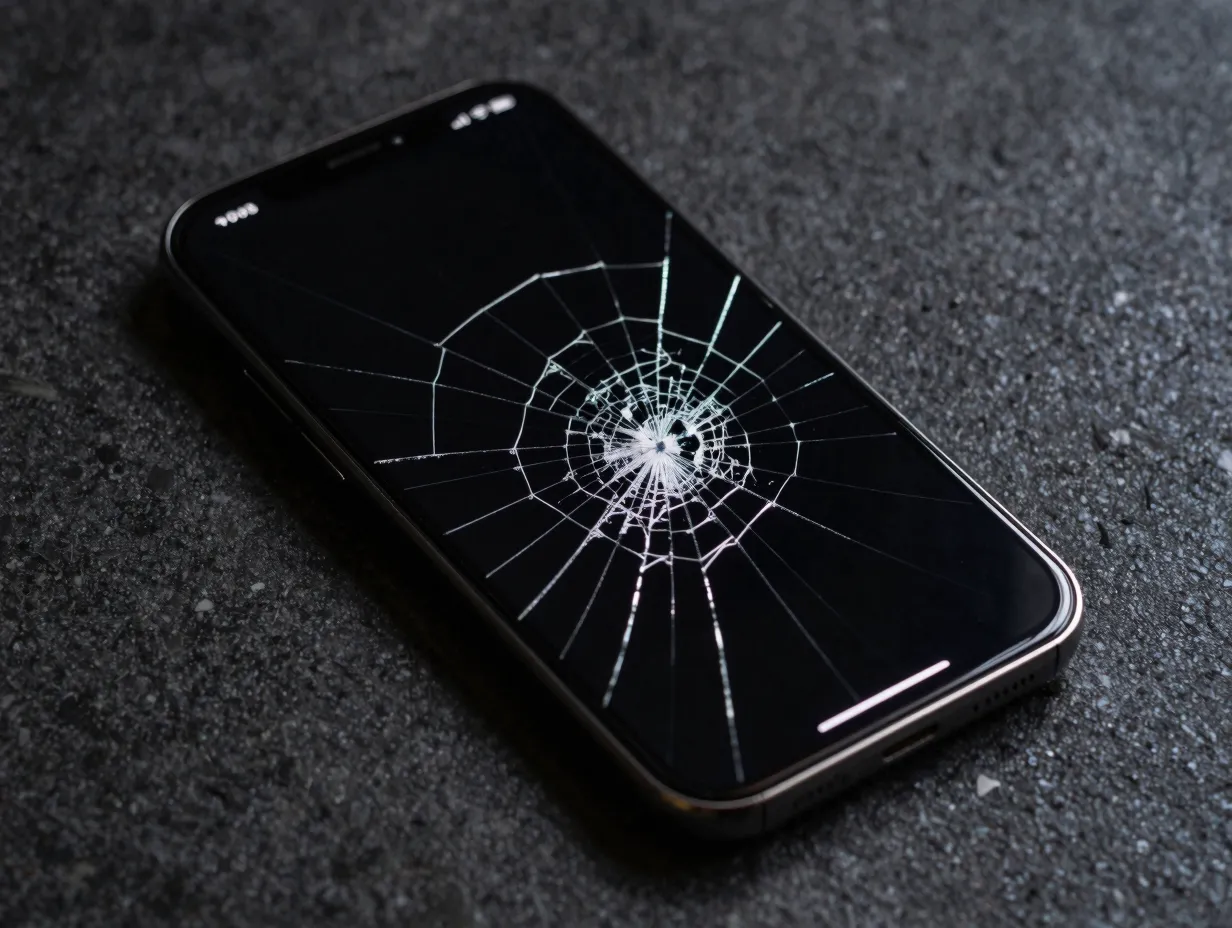
The Concept
The cracked-screen illusion is a classic phone prank that has been documented across multiple platforms for years [15]. In the “Don’t Touch My Phone” version, it is reframed as a consequence: the lock screen displays a warning (“Don’t touch this phone”), and when someone ignores it and picks up the device, the screen appears to crack on contact. A cracked-screen wallpaper is pre-loaded and triggered to appear as if the person’s touch caused the damage.
Why It Works
The cracked-screen reaction is one of the most reliably dramatic responses in phone prank content. The target’s immediate horror, followed by the relief of learning it was fake, creates a perfect emotional arc that is entertaining to watch and easy to edit into a short clip [15].
How to Make It
- Download a realistic cracked-screen wallpaper (many are available for free online for both iPhone and Android).
- Set the cracked-screen image as the lock screen wallpaper.
- Create a second, “normal” lock screen as the starting wallpaper, so the phone looks undamaged when left out.
- Before leaving the room, quickly switch to the cracked-screen wallpaper and place the phone face-down or in a pocket, then “accidentally” leave it face-up.
Alternative approach: Leave the phone with the cracked-screen wallpaper already visible and a note on the table that says “Do NOT touch, already cracked.” This version works without any switching and still generates strong reactions.
- Film the moment the target picks up the phone and sees the screen.
- Reveal the prank quickly, the faster the reveal, the more shareable the clip.
Production Tips That Apply to All 6 Ideas
Knowing the six ideas is only half the equation. Execution determines whether a video gets 500 views or 5 million. The following production principles apply across every format described above.
Front-load the setup. The most successful “don’t touch my phone” videos show the lock screen or prank configuration in the first three to five seconds [2][3]. Viewers need to understand what is happening before they will invest in the reaction.
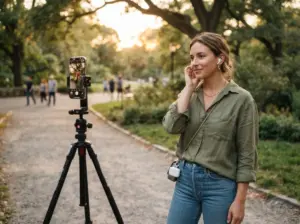
Use a secondary filming device. A phone propped on a shelf, a small Bluetooth-controlled camera, or a discreetly placed tripod will always produce better reaction footage than a handheld camera. Shaky footage breaks immersion and signals to the target that something is being filmed.
Keep the edit tight. Cut out dead time between the phone being left and the target picking it up. Use a jump cut or a time-lapse for the waiting period, then slow down or zoom in on the reaction moment.
Add captions. A large percentage of short-form video is watched without sound. Bold, high-contrast captions ensure the joke lands even on mute.
End with the reveal. Every clip should end with the prank being revealed and the target laughing (or at least smiling). This keeps the tone light and prevents the comment section from turning negative.
Platform-Specific Considerations
Different platforms reward slightly different approaches to the same content.
Snapchat Spotlight favors vertical video, fast cuts, and content that feels authentic rather than over-produced [2][3]. The reaction is the product, keep the setup brief and the emotion front and center.
YouTube Shorts allows slightly longer setups and benefits from a strong verbal hook in the first two seconds. Saying “I left this on my phone and waited…” directly to the camera before showing the lock screen is an effective opener.
YouTube long-form (if expanding a short clip into a full video) works best when the creator shows multiple reactions, includes a tutorial segment, and adds commentary between clips [1][4]. Videos in this format regularly exceed five minutes and maintain strong watch time when the reactions are genuinely entertaining.
TikTok rewards trending audio overlaid on the reaction moment. Pairing a “don’t touch my phone” clip with a currently viral sound can significantly amplify reach beyond the creator’s existing audience.
Conclusion
The 6 viral “Don’t Touch My Phone” video ideas and how to make them outlined in this guide cover the full range of what is currently working on short-form platforms in 2026. From the fake recording lock screen to the cracked-screen consequence illusion, each format is built on a simple but powerful principle: use the phone itself as the prop, the warning as the hook, and the reaction as the payoff.
Actionable next steps:
- Pick one idea that fits the existing audience and filming setup, do not try to combine multiple formats in a first attempt.
- Design the lock screen wallpaper before filming anything. The wallpaper is the most important visual element in every one of these formats.
- Film at least two or three reaction takes if possible, then choose the most genuine one for the final edit.
- Post the setup tutorial and the reaction in the same clip, keeping the total runtime under 60 seconds for Snapchat and YouTube Shorts.
- Engage with comments in the first hour after posting, early engagement signals boost algorithmic distribution on every major platform.
The barrier to entry for this content category is genuinely low. A compelling lock screen, a well-placed camera, and an unsuspecting friend are all that stand between a creator and a potentially viral clip.
References
[1] Watch – https://www.youtube.com/watch?v=kHPKykDkDEI
[2] Iphone Screen Prank – https://www.snapchat.com/topic/iphone-screen-prank
[3] Lock Screen Prank – https://www.snapchat.com/topic/lock-screen-prank
[4] Watch – https://www.youtube.com/watch?v=DyIr59MwDJQ
[5] Watch – https://www.youtube.com/watch?v=wA0VOpWWzuI
[6] Watch – https://www.youtube.com/watch?v=vQcrONopXLg
[7] Do Not Disturb Settings Explained – https://www.snapchat.com/topic/do-not-disturb-settings-explained
[8] Watch – https://www.youtube.com/watch?v=D7yJeyQPH-Q
[9] Watch – https://www.youtube.com/watch?v=koEpYNPJcTo
[10] Watch – https://www.youtube.com/watch?v=OzsfkyYnYb0